Service Configuration Diagram
Main Flow Diagram of SensitvieDocsFlow Service
info
- This is aimed at companies subscribed to the Security365 service.
- SDF can only be used in business systems that run in container form within a POD.
- Reference Materials(click)
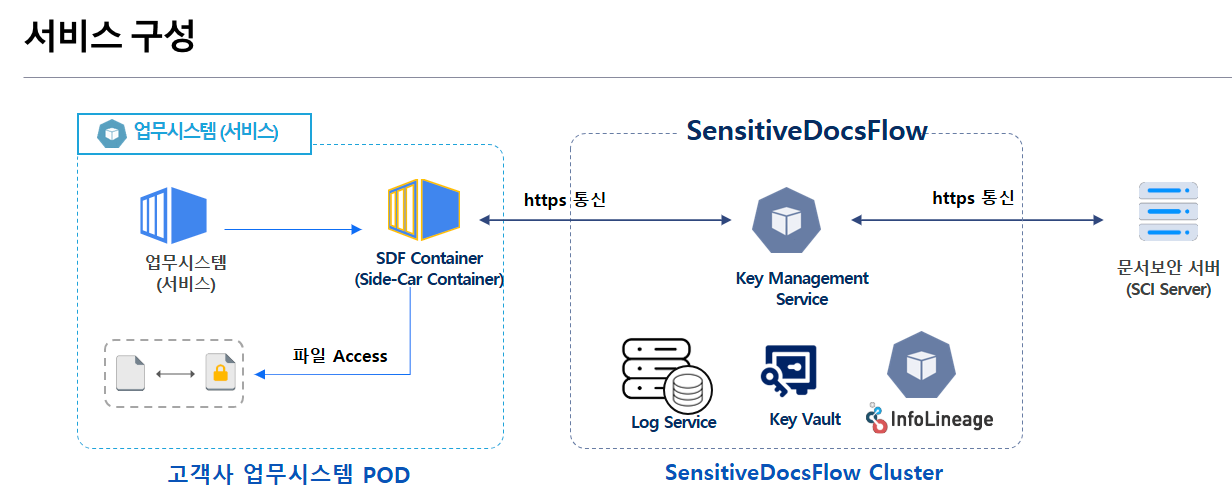
- Need to configure SDF Container in the customer business system POD (Side-Car Container)
- SDF Container must have access to the client company's business system files.
- Need to configure a separate Cluster for SDF
- SDF Cluster is**
최초 1회**Need for configuration - New (or additional) registration / management of business system information linked to SDF
- SDF Cluster is**
- https communication required
- Business System POD**
<->** SDF - SDF **
<->**Document Security
- Business System POD**
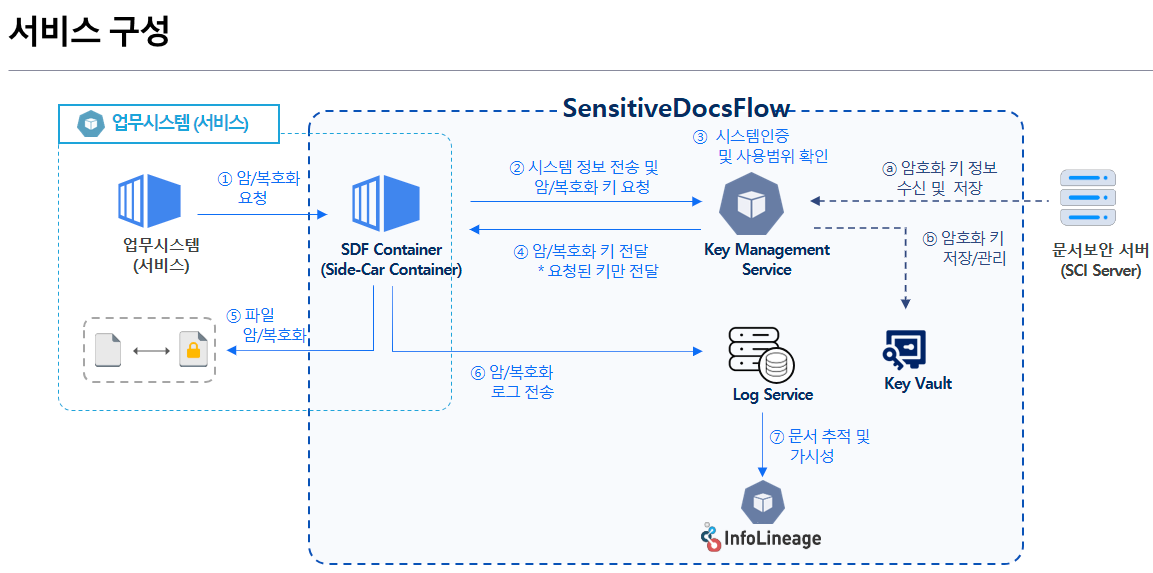
- Key Management Service (KMS) communicates with the document security server (SCI Server) to manage encryption keys.Securely manage storage in Key Vault
- The business system is located within the same POD.Request file encryption/decryption to SDF Container
- SDF Container requests system information and keys necessary for encryption/decryption from the Key Management Service (KMS).
- Key Management Service (KMS) and system authentication and usage scope verification based on received information
- If authentication is successful, only the key information required for encryption/decryption will be transmitted to the SDF Container of the corresponding system.
- SDF Container performs encryption/decryption through the received key and sends logs to the Log Service.
- log-basedSecuring Document Distribution Tracking and Visibility through InfoLineage