WOL Function
WOL Management
This feature allows users to remotely activate a PC on the network (Wake-On-LAN) by registering and managing the IP range and Broadcasting IP of the target PC that will use WOL.
Basic Screen Layout
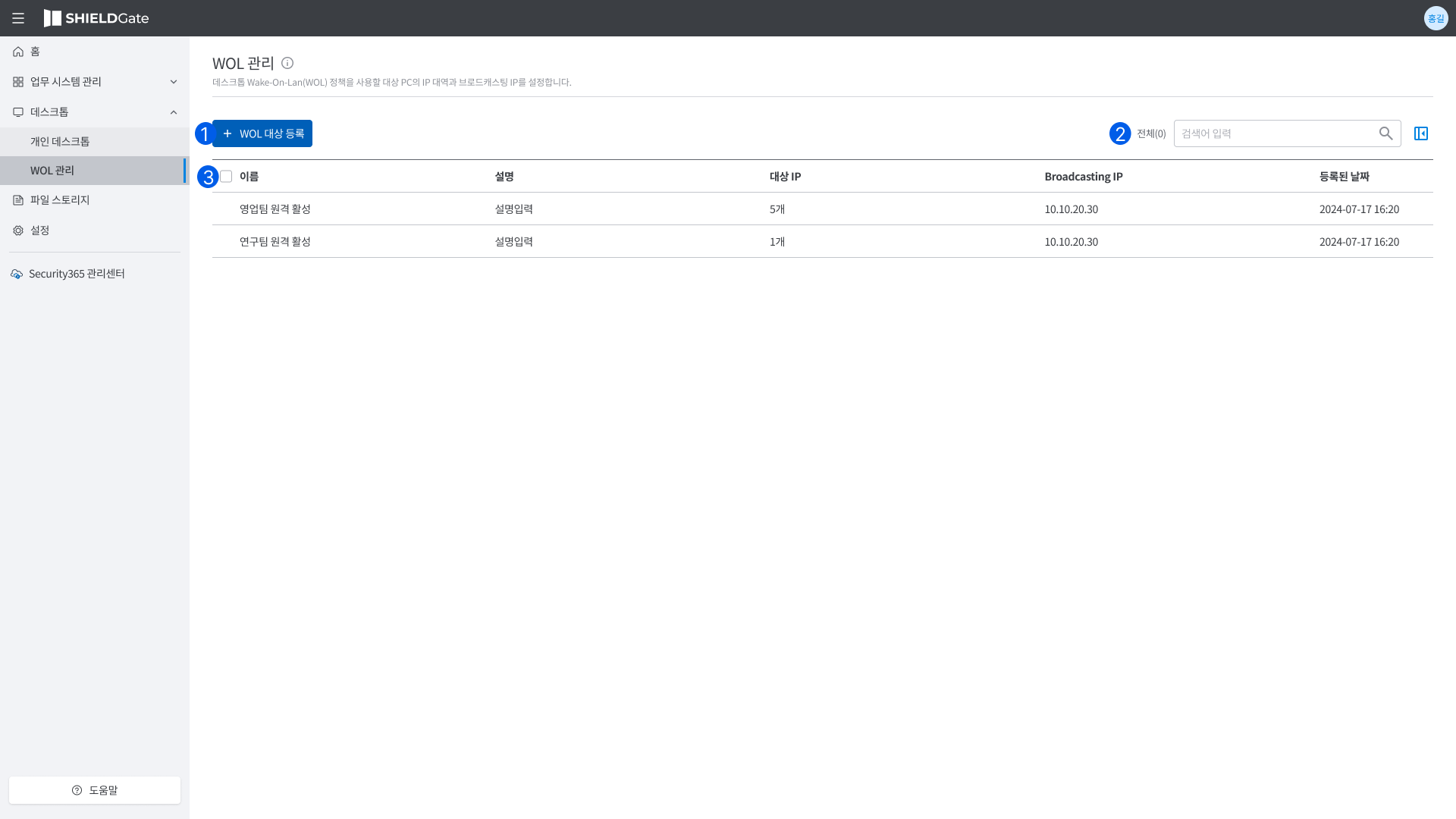
This is the home screen for managing registered PCs after setting up WOL.
+ WOL 대상 등록You can register a WOL target by clicking the [+ Register WOL Target] button.검색: You can search for the target IP and Broadcasting IP.목록: The list of registered WOLs.
WOL Target Registration
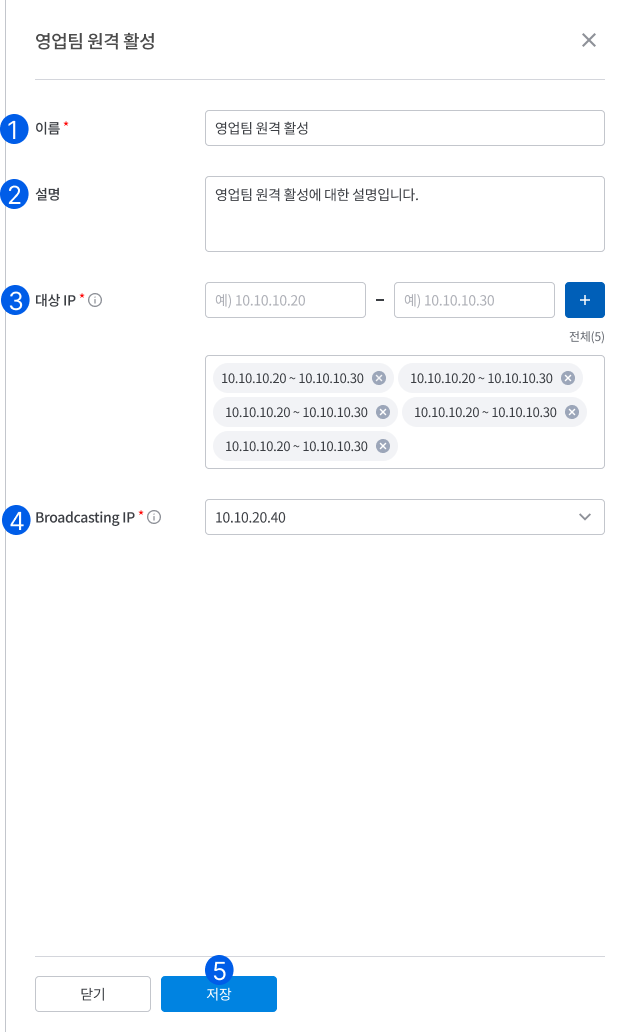
이름You can enter a WOL registration name to easily identify the registered PC.설명: The description is an optional input field for entering additional information.대상 IP:- Enter the IP range of the target PC to use WOL.
- You can enter multiple target IPs, and at least one is required.
- Target IP Registration Rules
- Prohibition of Korean Input
- IP Format Validation
- xxx.xxx.xxx.xxx (each x is a number between 0-255)
- No whitespace characters allowed
- Prohibition of Special Characters
- Only numbers and the dot (.) are allowed.
Broadcasting IP:- Enter the broadcasting IP to send the WOL signal.
- Broadcasting IP allows only a single input.
저장Click [Save] to add the WOL target after entering all required fields.
Modify/Delete WOL Target Registration
- Select WOL settings.
WOL 설정 수정The slide will unfold.- Editing and saving the content.
- If you want to delete the WOL settings, click on the [-Delete] that appears when you click on Settings to delete it.