Trash Can Management Guide
1. Overview
In the admin trash, you can restore or permanently delete deleted files. Files in the trash are kept for up to 30 days and are automatically permanently deleted thereafter.
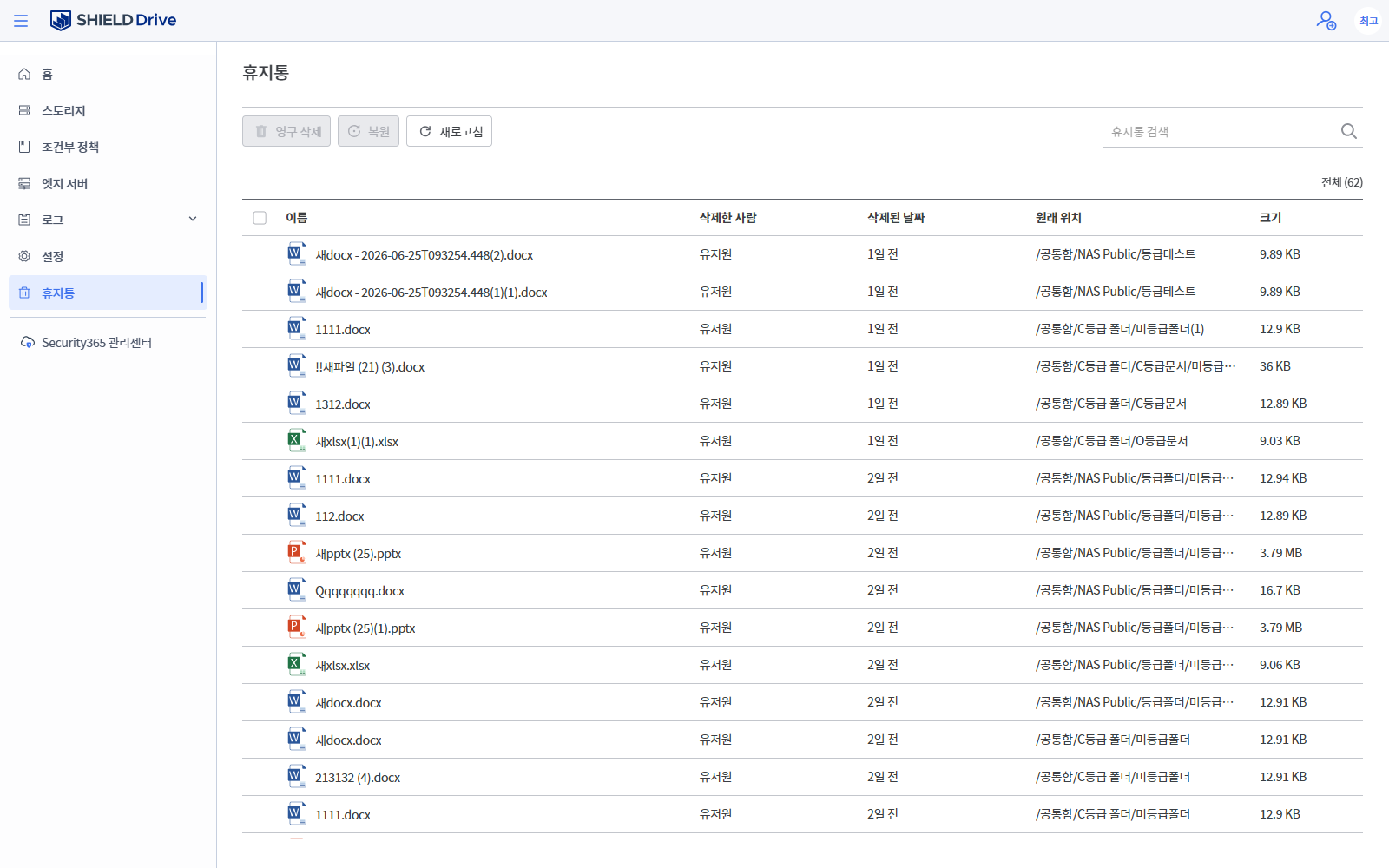
In the list, you can check the name of each file, the person who deleted it, the date it was deleted, the original location, and the size.
2. Restore and Permanently Delete
- Restore: Clicking the [Restore] icon will immediately restore the file to its original location.
- Permanent deletion: Clicking the [Permanent deletion] icon will display a modal, and if you click [Permanent deletion] once more, it will be permanently deleted. Permanently deleted files cannot be restored.
- You can permanently delete everything at once by [Emptying the Trash].
- Refresh the list using the refresh button in the upper right corner.
3. Trash Can Search
- You can search for deleted files by entering keywords in the search box at the top right.
- The search results are reflected in the list in real-time.