Accessing the admin page
1. Navigate to the admin page on the SHILEDrive webpage.
Users with administrator privileges can navigate to the admin page from the SHIELDrive webpage.
- A user with administrator privileges accesses the SHIELDrive webpage.

- You can access the SHIELDrive admin page through the ⚙ icon at the top right corner of the page.
2. Accessing the Admin Page through the Security365 Portal
Users with administrator privileges can access the SHIELDrive admin page through the Security365 Portal.
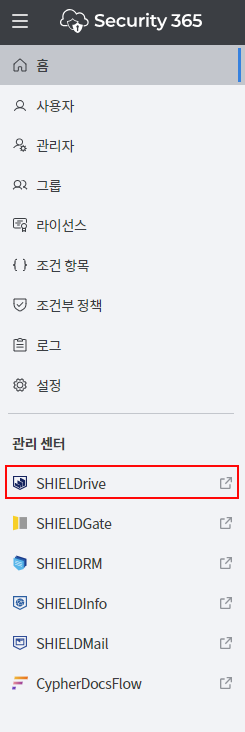
- In the Security365 Portal, you can check the admin page access menu by clicking the SHIELDrive icon on the left panel.