Accessing the Admin Page
1. Direct access via admin-only URL (port-separated deployment environment)
In environments where the admin page is deployed on a separate port, you must directly access the admin-specific URL.
In some deployment environments, the admin page is operated on a separate port from the regular user page for security and access control. In this case, even if you log in with an ADMIN account when accessing the regular user URL,It does not automatically redirect to the admin page.
How to Connect
Access the dedicated URL (including the port) provided separately to the administrator by directly entering it into the browser's address bar.
https://[서비스 도메인]:[관리자 포트]
After logging in, you will automatically be taken to the admin screen (/mgt) moves to.
Caution
| How to Connect | result |
|---|---|
| Accessing the URL as a regular user and logging in with the ADMIN account | Logged in as a regular user (no automatic redirection to admin screen) |
| Direct access to the admin-only URL (including port) and login. | Normal access to the admin screen |
- The administrator-only URL must be provided separately by the system administrator.
- The admin-only URL cannot access the regular user interface.
2. Accessing the Admin Page through the Security365 Portal
Users with administrator privileges can access the SHIELDrive admin page through the Security365 Portal.
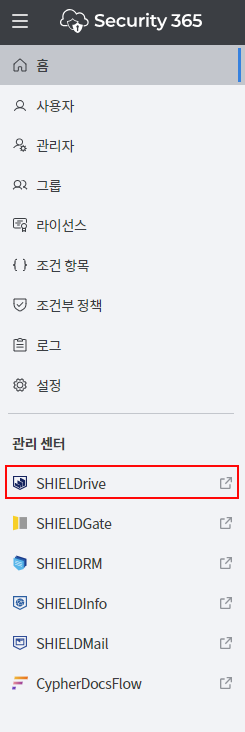
- By clicking the SHIELDrive icon on the left side of the Security365 Portal, you can access the administrator page menu.