What is InfoLineage?
InfoLineagerecords and visualizes when, where, and by whom documents within the organization were used.**A document visibility platform that helps understand and track the flow of document distribution.**is.
In a complex cloud-based work environment, analyze the relationship between users and systems based on the flow of documents, and in the event of a security incident.A foundation for tracking document leakage pathsprovides.
Background of Introduction
- The usage paths of documents have become complex due to the spread of cloud and collaboration systems.
- External transfer, decryption, use of unauthorized systems, etc.Difficulty in identifying risky behaviors
- The existing DRM system alone cannot handle the document distribution flow.Lack of visibility
InfoLineage was created to solve these problems.Document-centric log collection and visualization analysis featuresprovides.
Main Features
| Function Area | Description |
|---|---|
| Document Usage History Visualization | Visual representation of the relationships between users, systems, and files |
| Identification of Hazardous Documents | Identify documents for external use or decrypted documents |
| User Analysis | Identify primary users and associated users of the document |
| Analysis of Derivative Document Flow | Tracking the flow of copied/edited documents within a single document |
| System-Based Analysis | Check which system the document was distributed through |
| Document Leakage Path Tracking *(Planned)* | Tracing Delivery Path and User Based on Leaked Document |
Configuration Environment
InfoLineage supports the following infrastructure environments:
| Composition Type | Description |
|---|---|
| Cloud | Providing all features in an external SaaS environment |
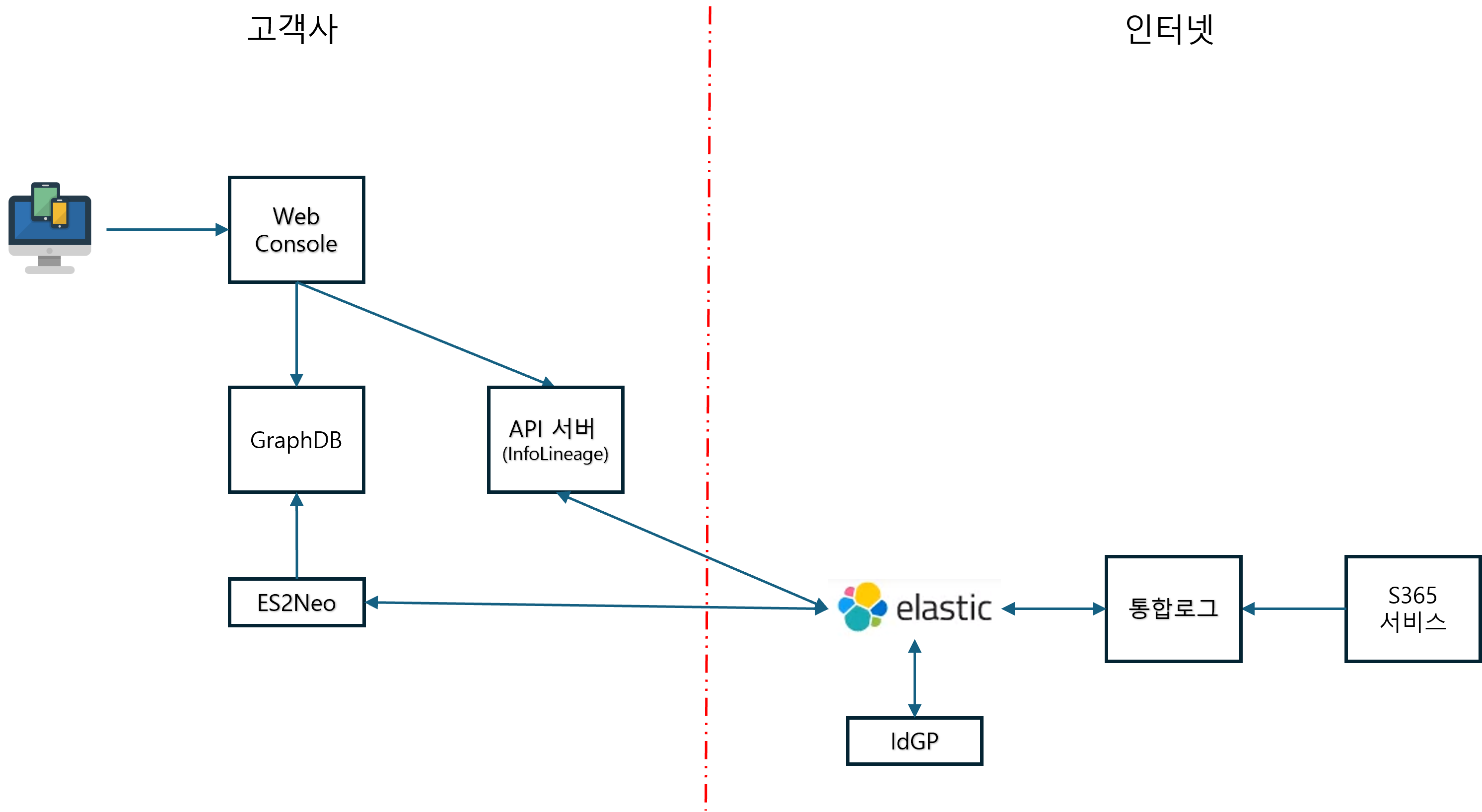
| Edge | Hybrid form that connects internal and external customers. |
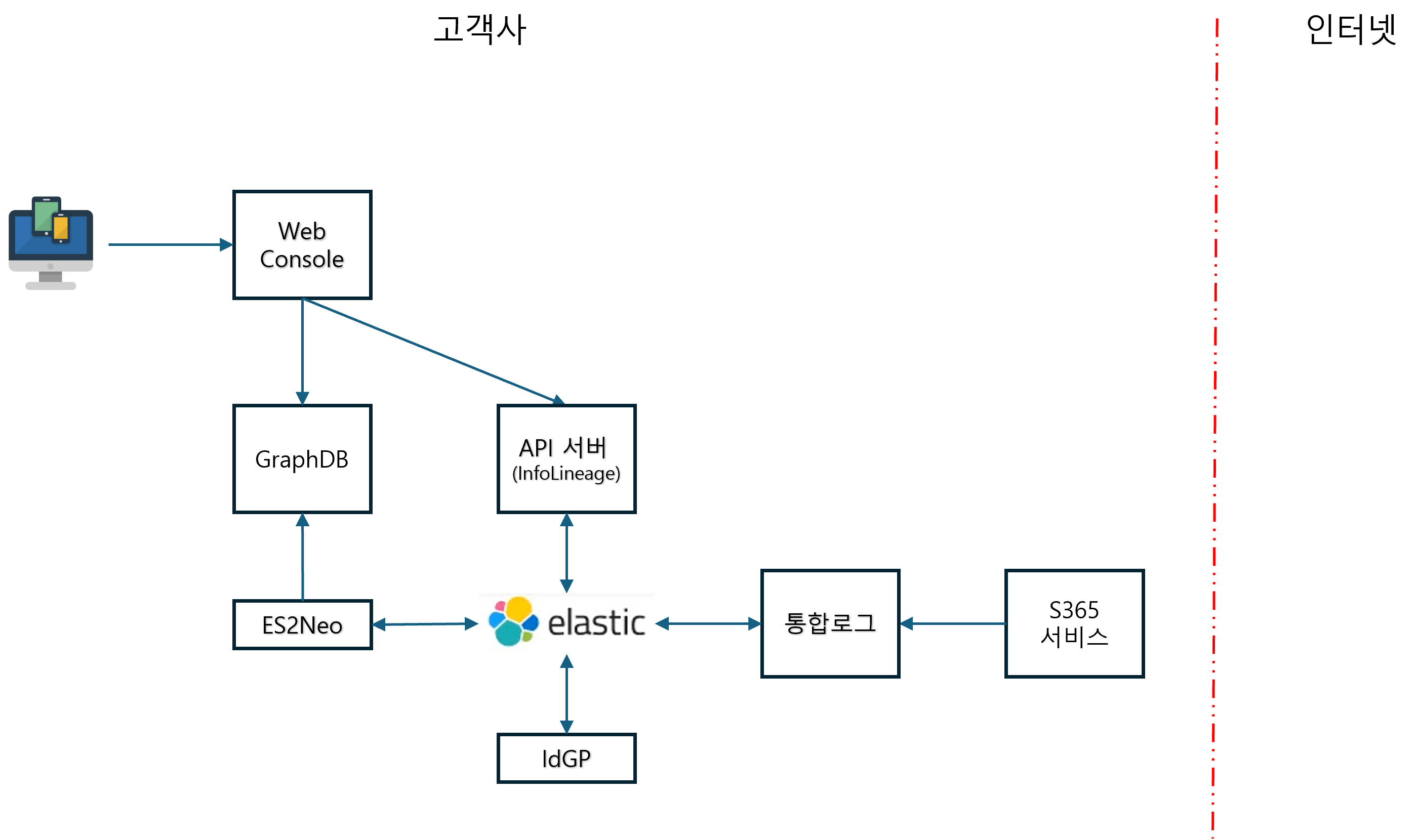
| On-Premise | Can be operated completely independently in a closed network environment. |
Common Components: Web Console, API Server, GraphDB, ES2Neo, Elastic, Integrated Logs, IdGP
Cloud Architecture Diagram
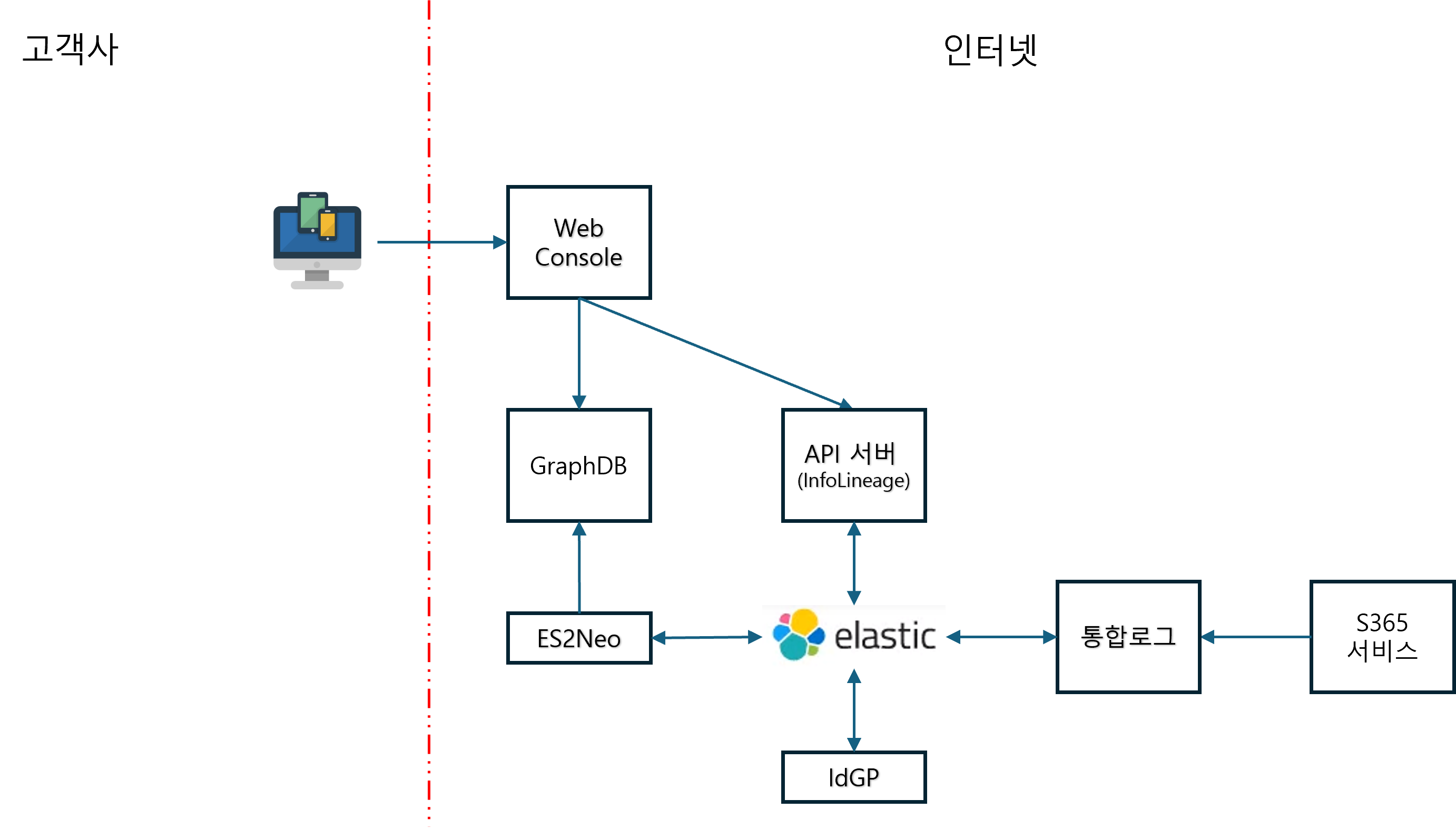
Edge Configuration Diagram
On-Premise Configuration Diagram
Terms of Use and Integration
- DocumentSecurity can only be used in environments where it is installed.
- Provides API for license registration/query/modification/deletion for external integration systems.
- The integrated log is
/externalSearchIt can also be queried from external SIEM systems via the API.
Expected Effects
- Securing Document-Based Security Visibility: Quantitative verification of the flow between users, systems, and documents is possible.
- Accurate tracking in the event of a security incident: Quickly identify leak paths, related users, and system information
- Strengthening Audit and Internal Control: It is possible to create audit reports based on user and document usage history.
Developer Documentation Setup
This document repository isinfolineage-platformofgit submoduleis connected.
When first cloning
# submodule 포함하여 클론
git clone --recurse-submodules https://Security365@dev.azure.com/Security365/InfoLineage/_git/infolineage-platform
If you have already cloned
git pull origin develop
git submodule update --init
Document Modification and Commit
This document is about the platform repo andseparate git repois managed. After modifying the document, commit/push theidocs/docs/Perform directly in the directory.
cd idocs/docs
git pull origin main          # 최신 동기화
# ... 문서 수정 ...
git add <파일>
git commit -m "docs: 설명"
git push origin main
in VS Code
infolineage-platform.code-workspaceopens**Docs (Docusaurus)**The folder is marked as a separate git in Source Control.