What is InfoLineage?
InfoLineagerecords and visualizes when, where, and by whom documents within the organization were used.
Document visibility platform that supports understanding and tracking the flow of document distributionis.
In a complex cloud-based work environment, analyze the relationship between users and systems based on the flow of documents, and
In the event of a security incidentFoundation for tracking document leakage pathsprovides.
Introduction Background
- The usage paths of documents have become complex due to the spread of cloud and collaboration systems.
- External transfer, decryption, unauthorized system use, etc.Difficulty in identifying risky behaviors
- The existing DRM system alone cannot handle the document distribution flow.Lack of visibility
InfoLineage was created to solve these problems.
Document-centered log collection and visualization analysis featuresprovides.
Main Features
| Functional Area | Description |
|---|---|
| Document Usage History Visualization | Visual representation of the relationships between users, systems, and files |
| Identification of Hazardous Documents | Identify documents for external use or decrypted documents |
| User Analysis | Identify primary users and associated users of the document |
| Derivative Document Flow Analysis | Tracking the flow of copied/edited documents within a single document |
| System-Based Analysis | Check which system the document was distributed through |
| Document Leak Path Tracking*(Scheduled)* | Tracking Delivery Path and Users Based on Leaked Documents |
Configuration Environment
InfoLineage supports the following infrastructure environments:
| Composition Type | Description |
|---|---|
| Cloud | Providing all features in an external SaaS environment |
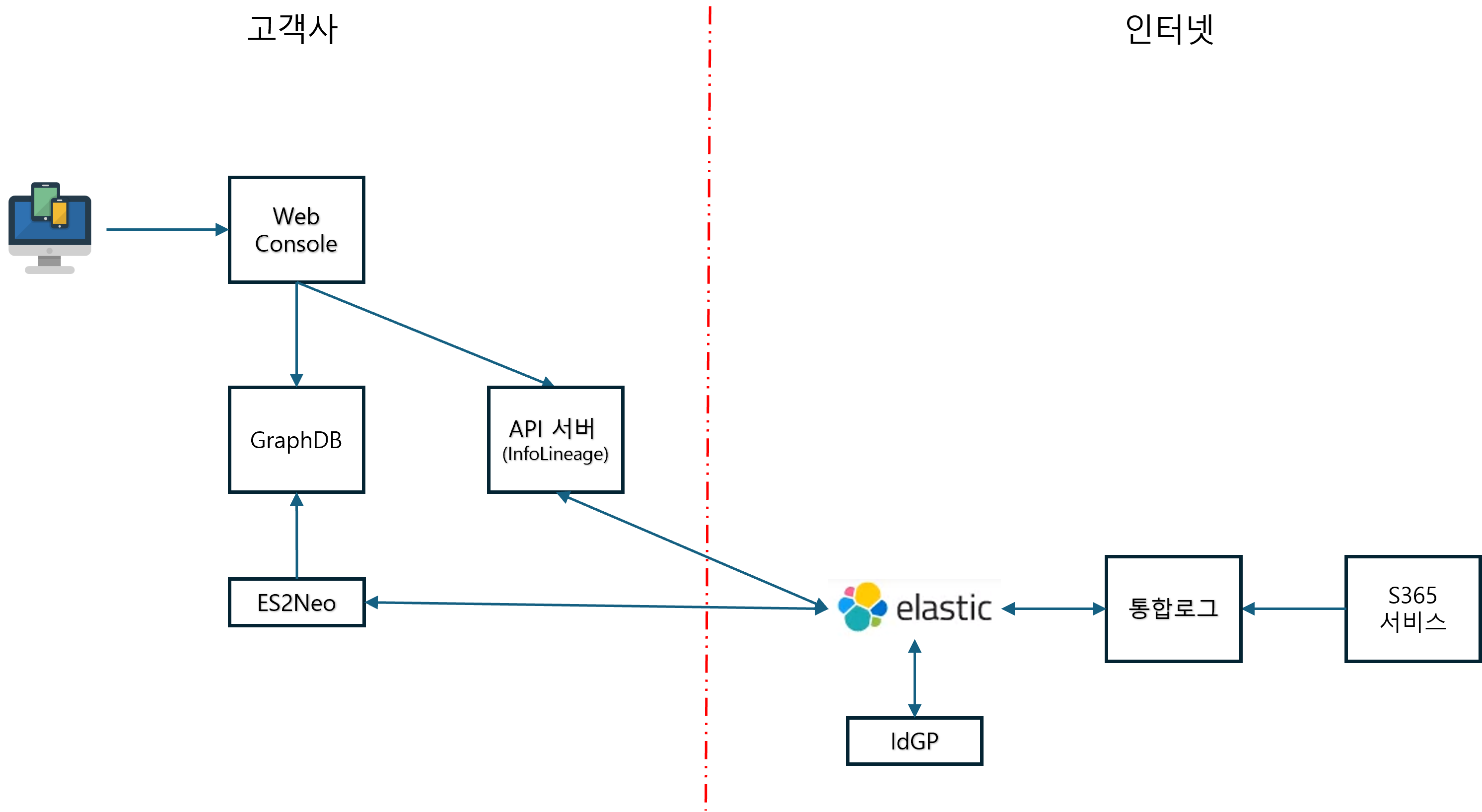
| Edge | Hybrid form that connects internal and external customers. |
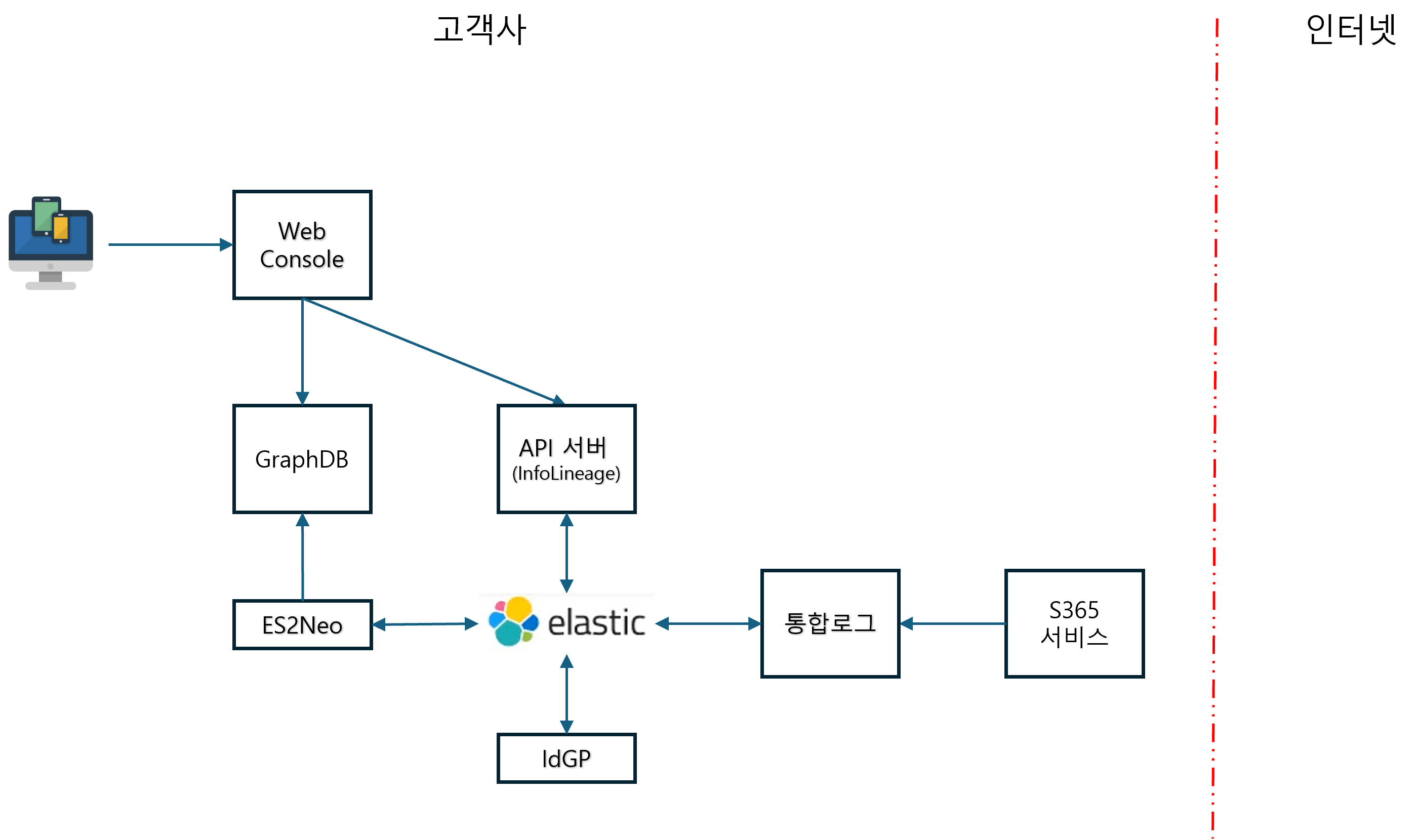
| On-Premise | Can be operated completely independently in a closed network environment. |
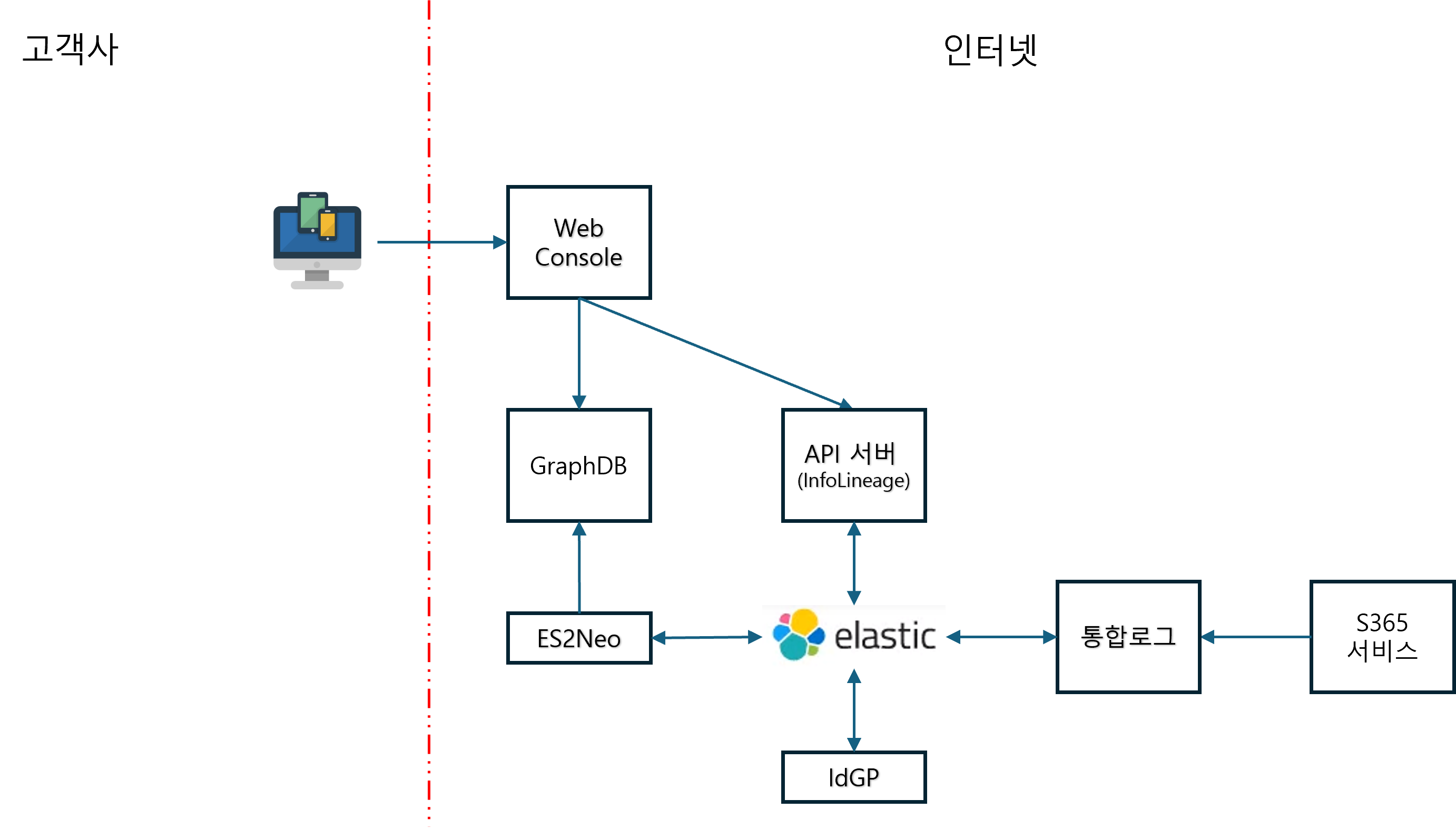
Common components: Web Console, API Server, GraphDB, ES2Neo, Elastic, Integrated Logs, IdGP
Cloud Architecture Diagram
Edge Configuration Diagram
On-Premise Configuration Diagram
Usage Conditions and Integration
- DocumentSecurity installation environment only allows the use of document tracking features.
- Provides API for license registration/retrieval/modification/deletion for external integration systems.
- Integrated logs are
/externalSearchAvailable for querying from external SIEM systems via API
Expected Effects
- Securing Document-Based Security Visibility: User, system, and document flow can be quantitatively verified.
- Accurate tracking in case of a security incident: Identify leak paths, related users, and system information quickly
- Strengthening Audit and Internal Control: Creation of audit reports based on user and document usage history
Developer Documentation Setup
This document repository isinfolineage-platformofgit submoduleis connected to.
When first cloning
# submodule 포함하여 클론
git clone --recurse-submodules https://Security365@dev.azure.com/Security365/InfoLineage/_git/infolineage-platform
If already cloned
git pull origin develop
git submodule update --init
Document Modification and Commit
This document is about the platform repo andseparate git repois managed. After modifying the document, commit/push theidocs/docs/Perform directly in the directory.
cd idocs/docs
git pull origin main          # 최신 동기화
# ... 문서 수정 ...
git add <파일>
git commit -m "docs: 설명"
git push origin main
in VS Code
infolineage-platform.code-workspaceopens**Docs (Docusaurus)**The folder is indicated as a separate git in Source Control.