System Status
Overview
info
This document introduces how to use the [System Status] page.
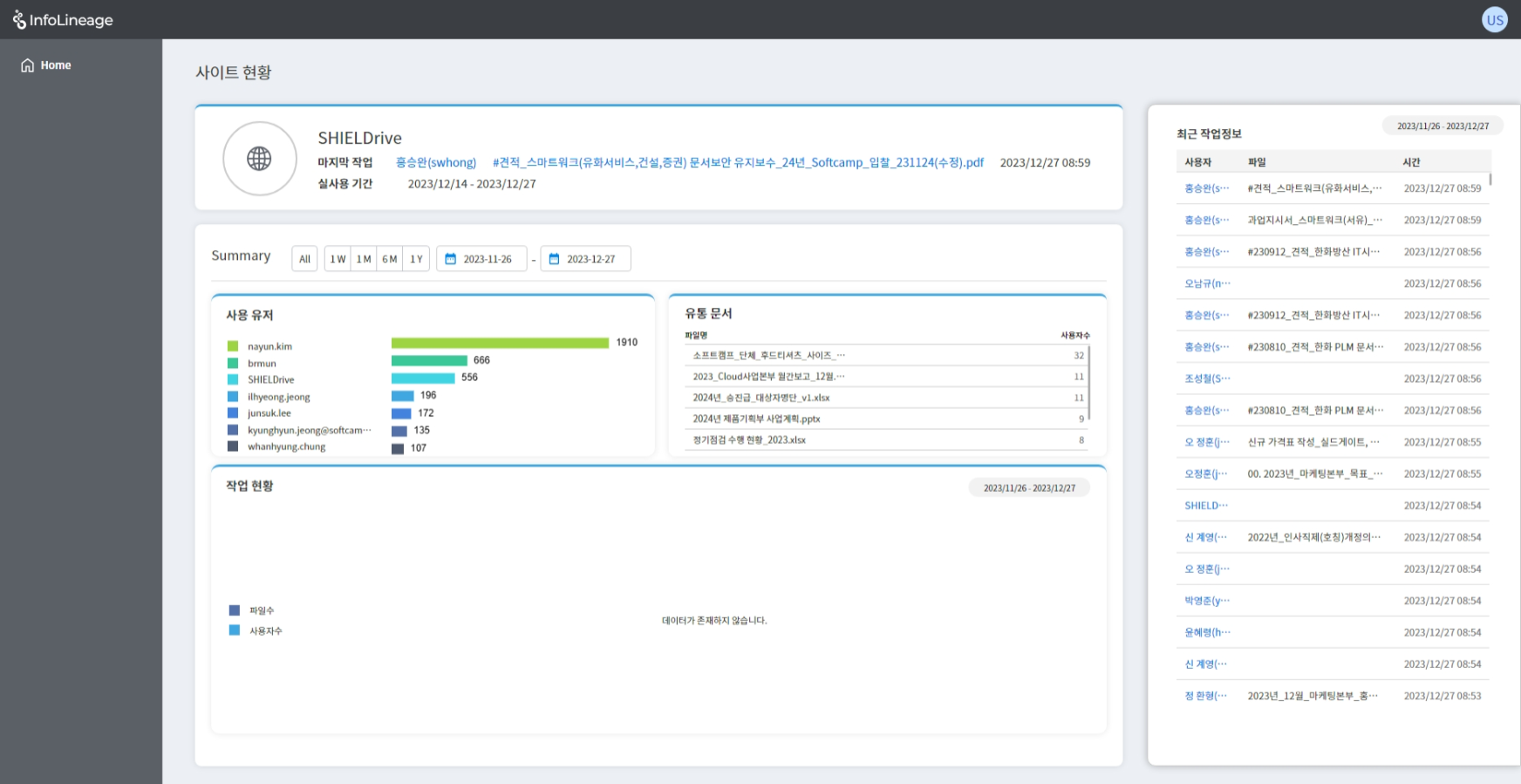
1. System Profile
- System Title
- Last user who worked, file title, work time
- Entire period during which system usage logs are stored
- Users can click the file title to navigate to the corresponding status page.
2. Summary
- User Usage: Shows the users who have used the system, up to a total of 7 people.
- Distributed Files: Shows all files distributed through the system.
- Work Status: Shows the current status of the system in a graph.
- You can modify the period for checking data through the button.
3. Right Menu
- You can check the recent work information in reverse chronological order.
- When the user clicks, they will be redirected to the corresponding user status page.
- You can use the Summary button to modify the period.
© SOFTCAMP Co., LTD. All rights reserved.