Login with EntraID account
Available Environment
- User PC is joined to windowAD.
- Windows login accounts are synchronized with EntraID through ADConnect.
- The user PC must be a device registered to the company domain.
- To use WAM, you must have an app registered at portal.azure.com and obtain the clientID of that app.
- Apps registered on portal.azure.com must have delegated consent for the default permissions through admin consent.
SSO operation with EntraID account
- After logging in to document security, query the user's EntraID with the ClientID set in the policy "sso:wamClientId".
- Issue a Shield ID user token with the corresponding account by querying EntraID.
- at Portal.azure.com
{TenantId}Wow{clientID}Check. - When setting runMode:sso, the item for additional options has the priority of application where the "userDomain" option is applied first. If using the wamClientId option, please set "userDomain":"none" or remove that item.
DS_MIP_INITItem Settings
{
"tid" : "{TenantId}",
"runMode" :"sso",
"sso": {
    "wamClientId": "{clientID}"
    }
}
//설정 예
{
"tid" : "e8c1b6e5-37ed-4c84-82e9-f5a02feddd85",
"runMode" :"sso",
"sso":{
    "wamClientId": "e9d4988d-cf92-46f6-ab1f-d8c25d0bab95"
    }
}
Related Modules
| File Name | path | version | Note |
|---|---|---|---|
| SCPD_DS365.dll | C:\windows\softcamp\sdk\scsa | 6.1.0.4 | DS6 Product Module |
| SCPD_DS36564.dll | C:\windows\softcamp\sdk\scsa | 6.1.0.4 | DS6 Product Module |
| DS365.Agent.exe | C:\windows\softcamp\Security365\DS365\x64 | 6.2.0.1 | DS6 Product Module |
| DS365.Core.dll | C:\windows\softcamp\Security365\DS365\x64 | 6.2.0.4 | DS6 Product Module |
Preparation Items
User Windows Verification Items
- Check windowAD registration information
- You must have a registered domain as shown below.
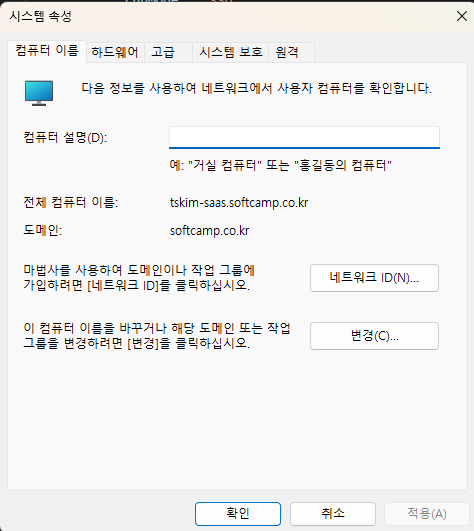
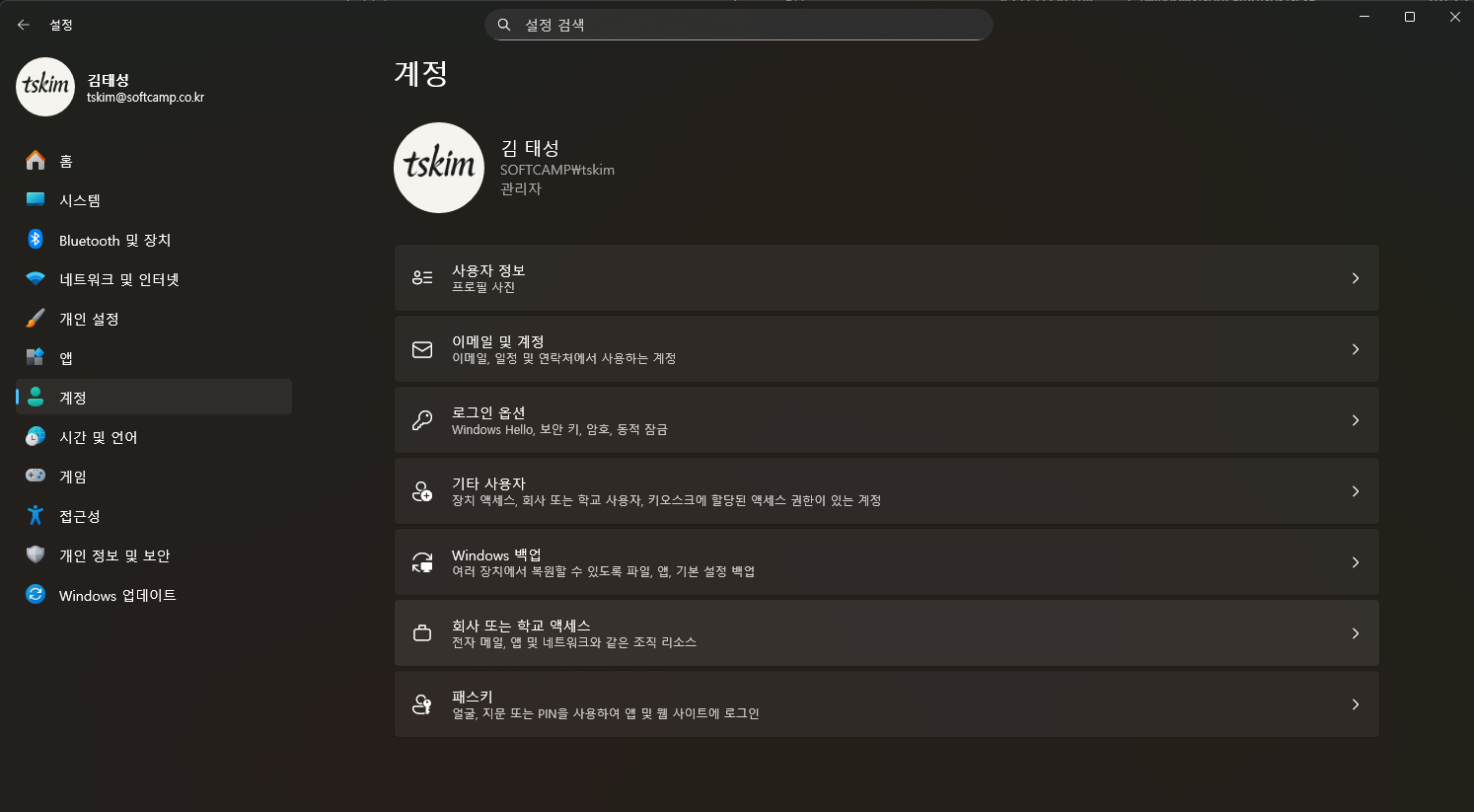
- Device Registration
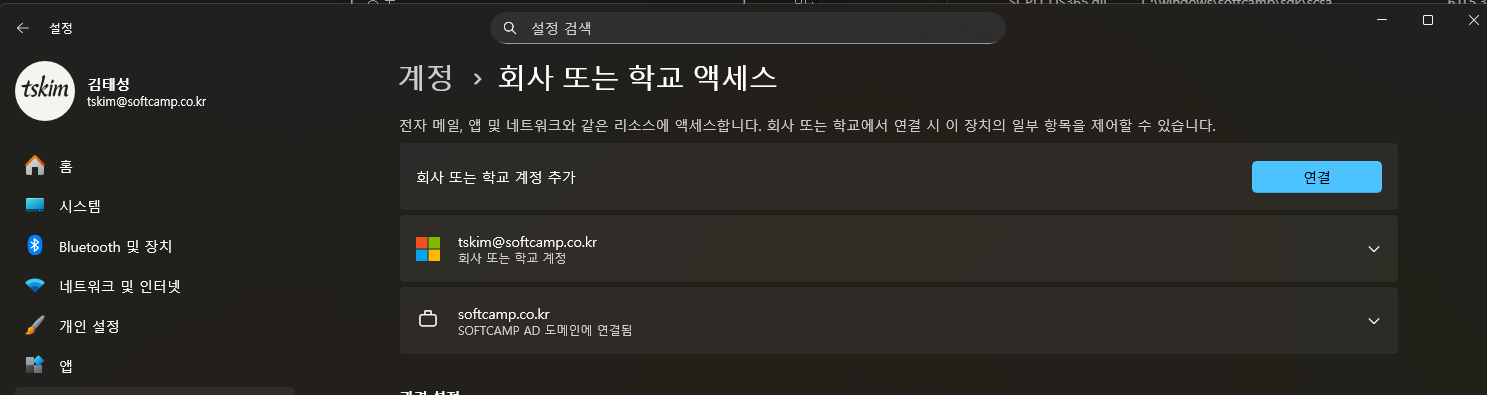
- Windows Settings - Account SectionCompany or School AccessSelection
- It should be registered as shown below.
Settings and Verification for Portal.Azure.com
security365.com settings
Check user delegation permission usage as below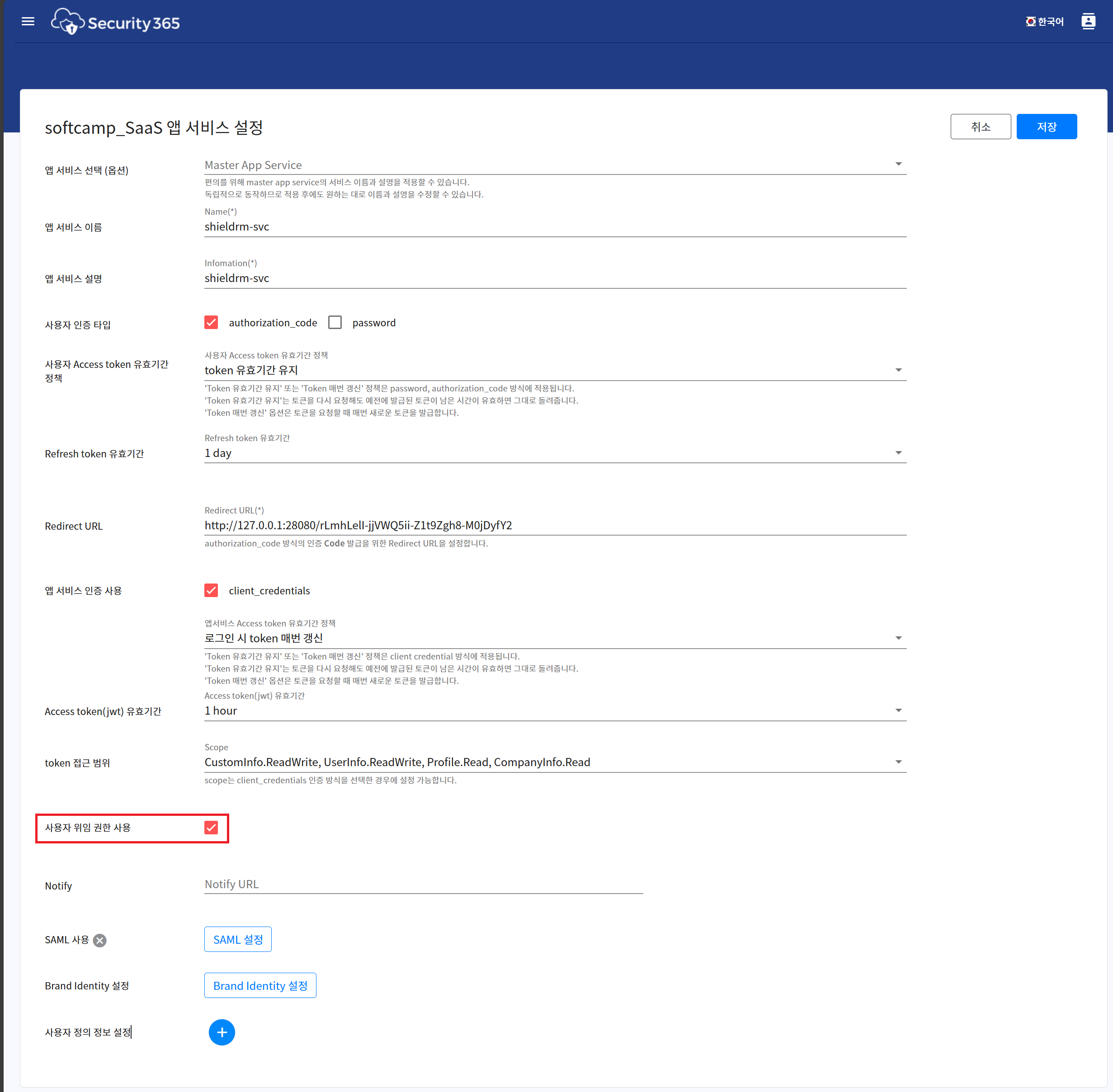
Setting up portal.azure.com
-
After logging into the Azure Portal, select the Microsoft Entra ID menu from the LNB menu, then choose Management - App registrations.
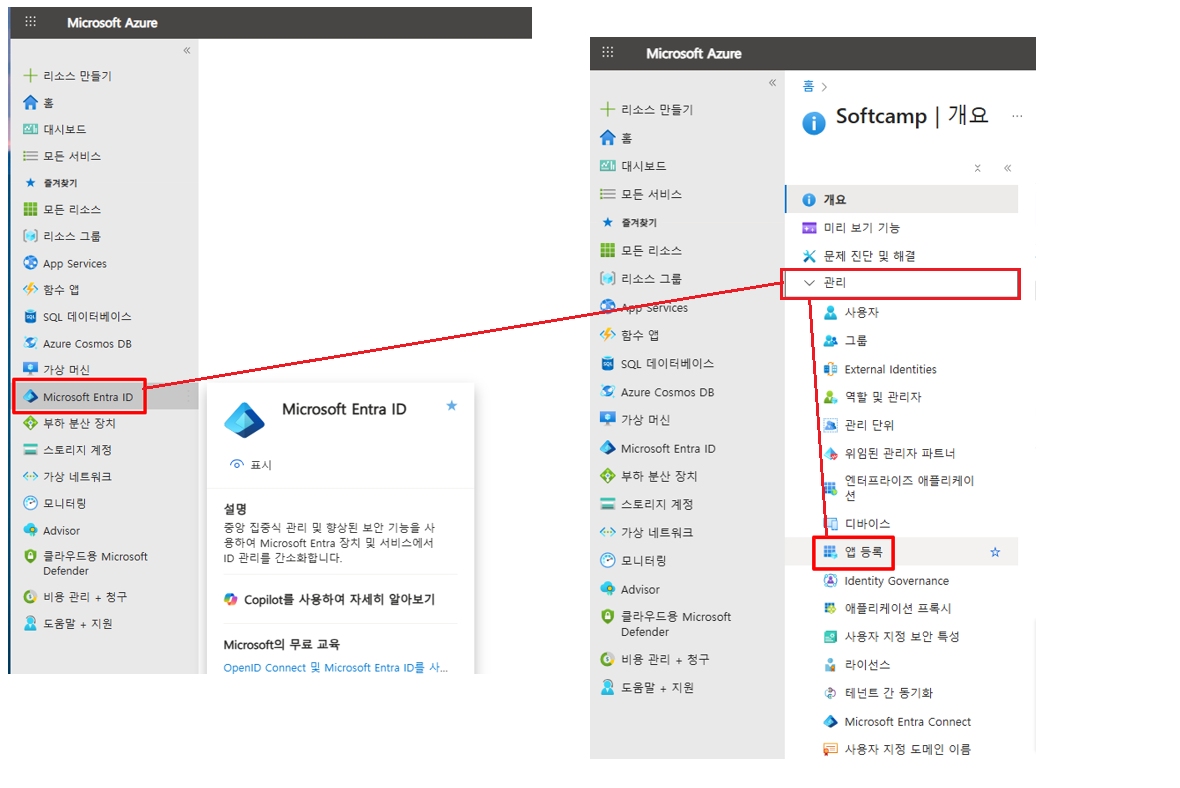
-
If it is not registered as shown in the image after entering security365auth after selecting all applications, click the new registration button at the top.
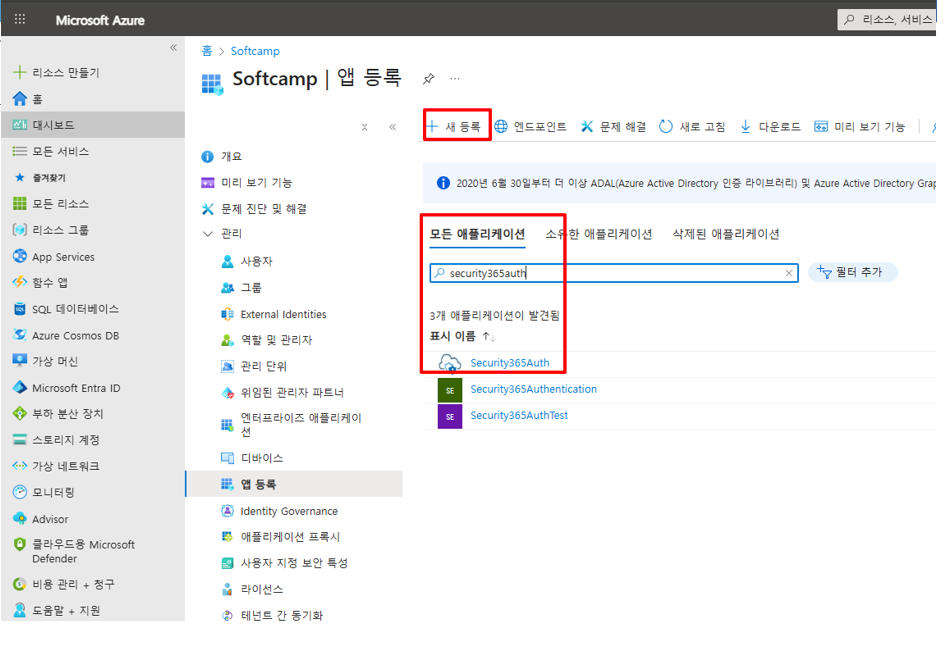
-
Name: security365auth
-
Supported Types: Accounts in this organization directory only – Single tenant selection (Multi-tenant customers need to choose according to their organizational situation)
-
Public Client / Native (Mobile and Desktop)
-
Click the registration button at the bottom.
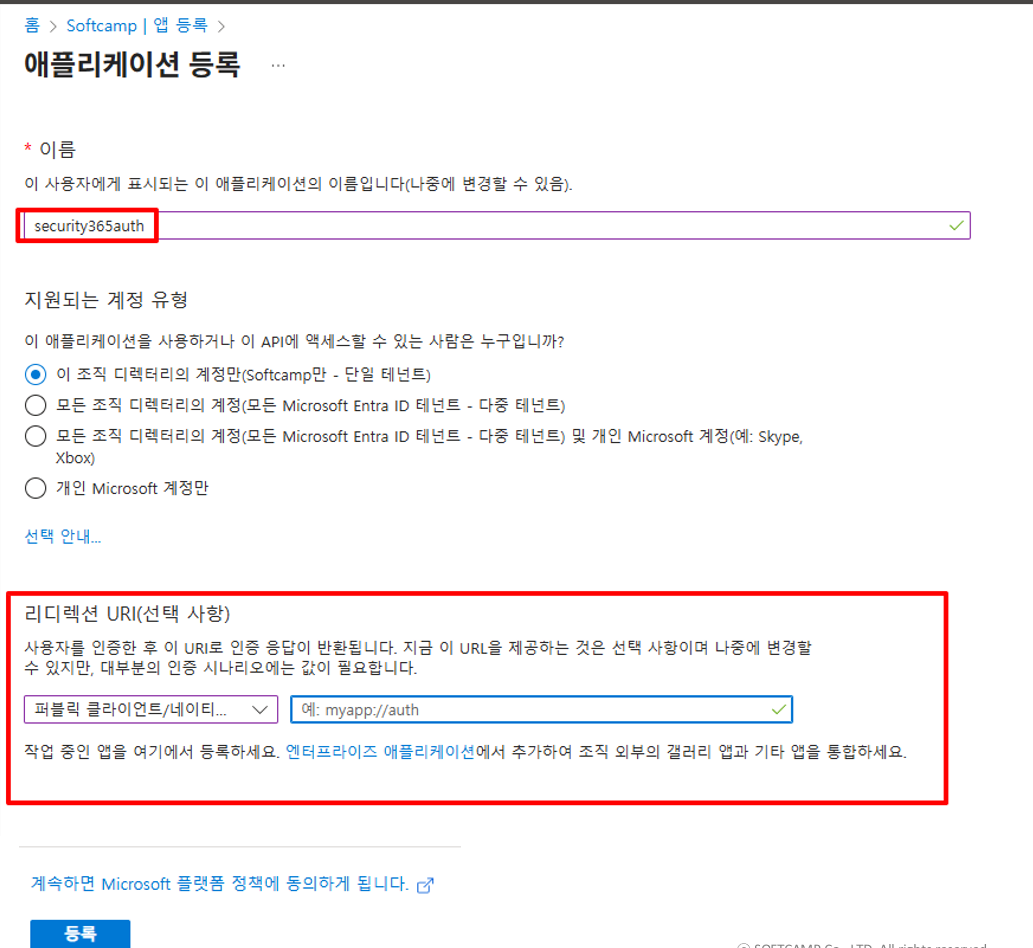
-
LNB menu – Management – Select Authentication button – Select the Redirect URI Configuration tab menu – Add the following content to the Mobile and Desktop Applications value ms-appx-web://microsoft.aad.brokerplugin/
{client_id}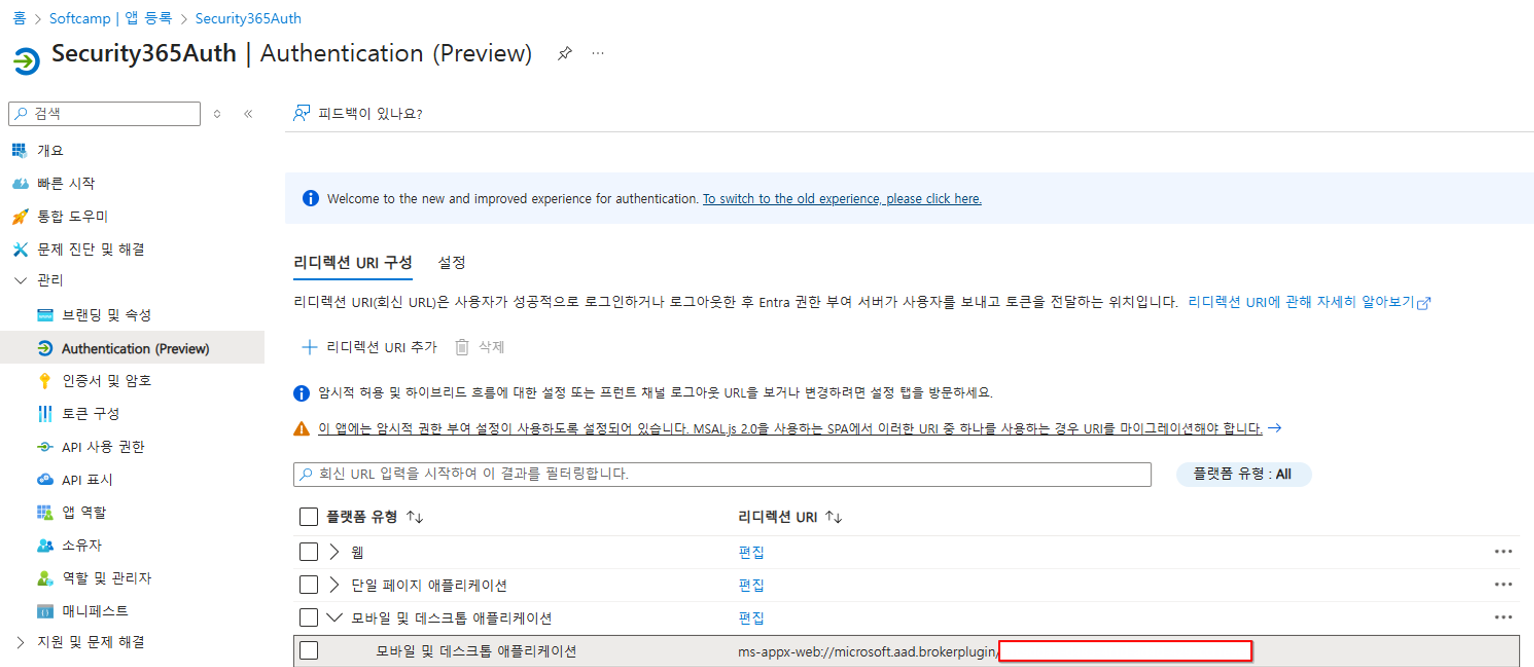
-
Note
- The permissions required for administrator consent are basic permissions. (No need to add separately)
- The secret of the registered app is not used.
Login Flow
The flow is the same as the AzureAD login integration. The difference is that when requesting the WAM accessToken, the clientId registered at portal.azure.com is used instead of the information from security365.