How to add a subscription
The subscription menu is a menu that manages the subscription information of all tenants. When a subscription is added, the licenses for the subscribed plan can be managed in the management center of the corresponding tenant.
To proceed with this task, you must first sign up and then create a tenant.
Add Subscription
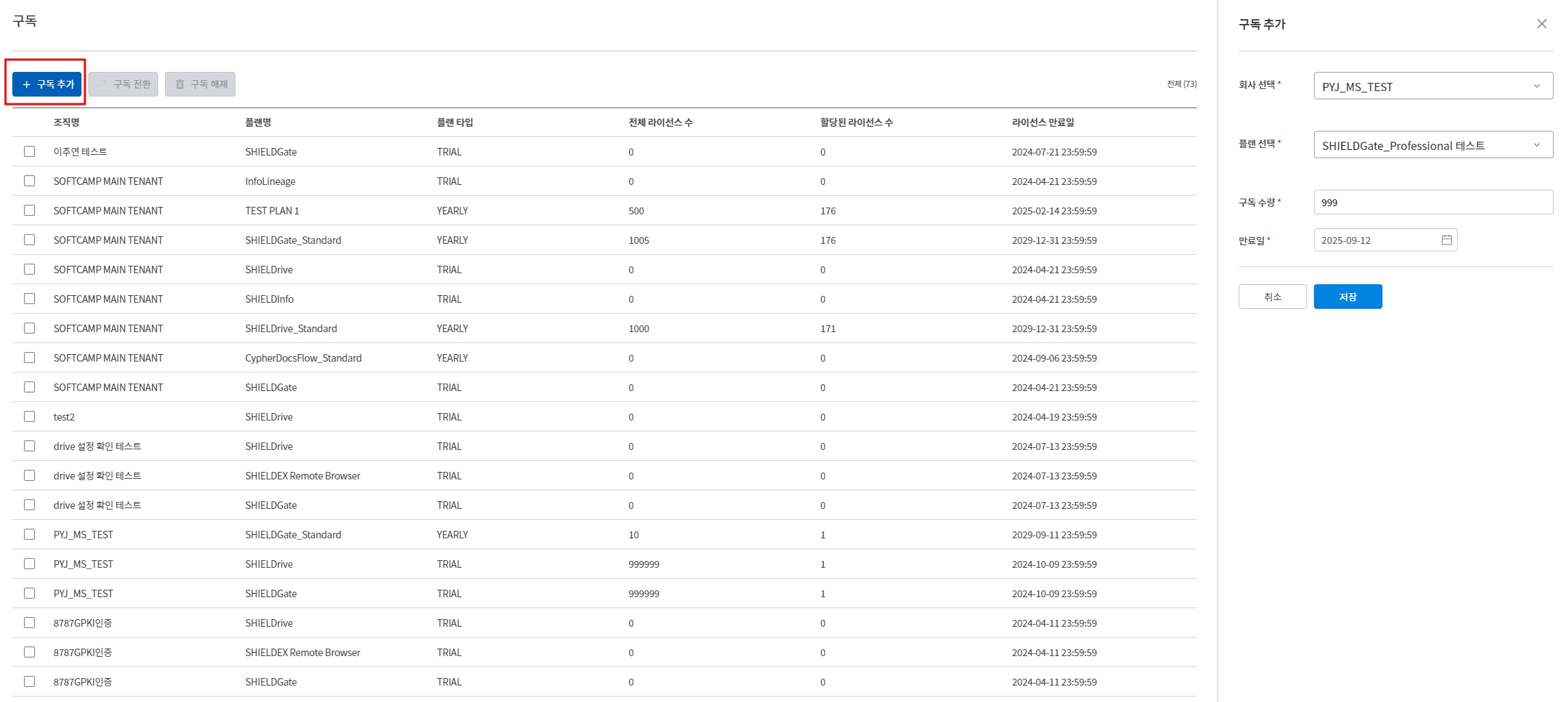
구독 추가Click the button.- Enter the following information:
- Select Company (Required): Choose the tenant to apply the subscription
- Select Plan (Required): Choose the plan to apply
플랜> 플랜 탭You can add a plan that was added in __PH_0__.
- Subscription quantity (required): Enter the required number of licenses.
- Expiration Date (Required): Set Subscription Expiration Date
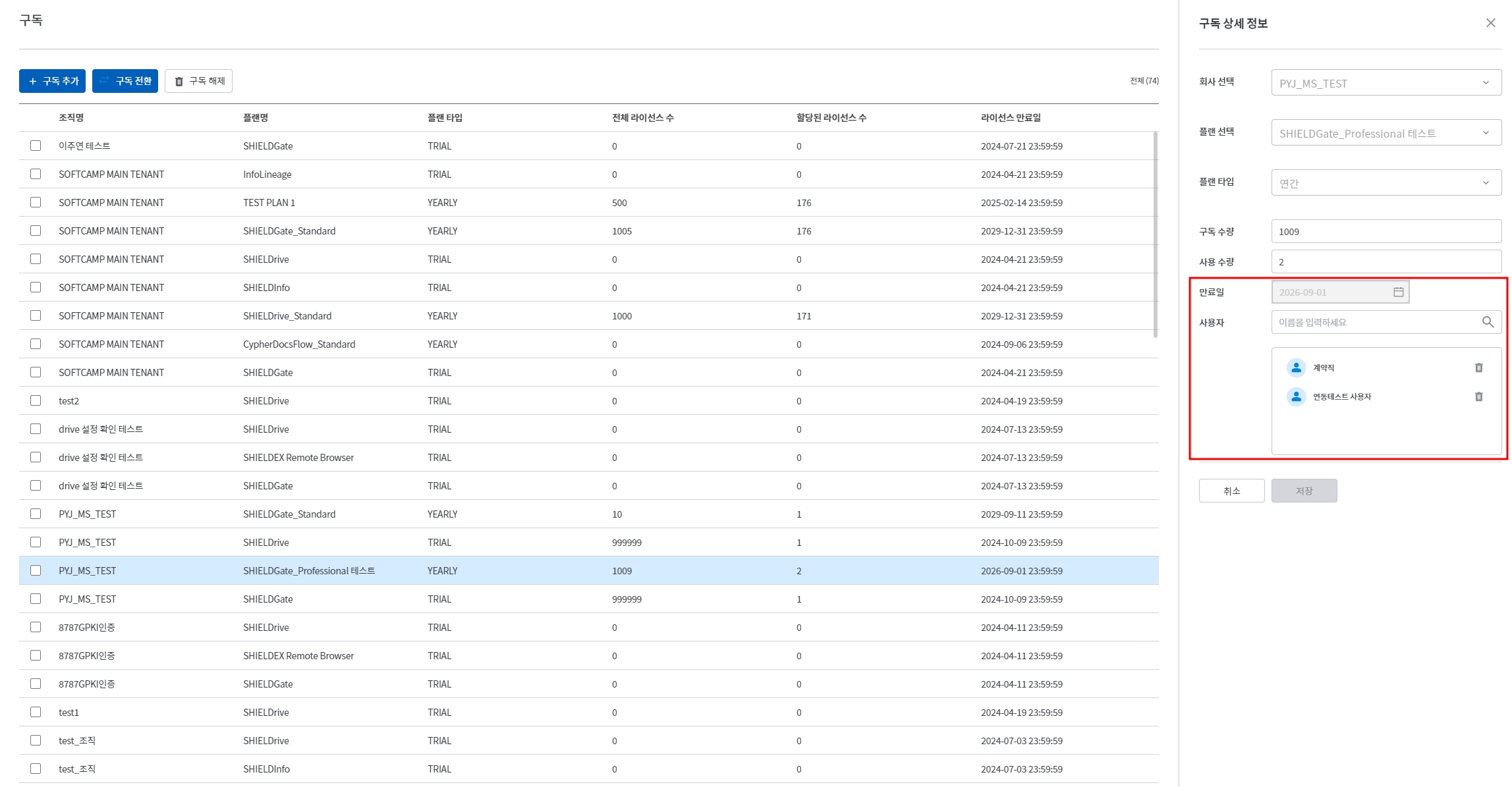
Edit Subscription
- You can only modify user information assigned to the subscription. Other information cannot be changed.
- When adding users, the total licenses will be deducted by the number of users added.
- For example, when there are a total of 50 licenses and 5 licenses are assigned to users, the available licenses will be 45.
- When adding users, the total licenses will be deducted by the number of users added.
- Changing the subscription expiration date is
구독 전환It is possible through __PH_0__.
How to change the subscription expiration date
Step 1: Modify Plan
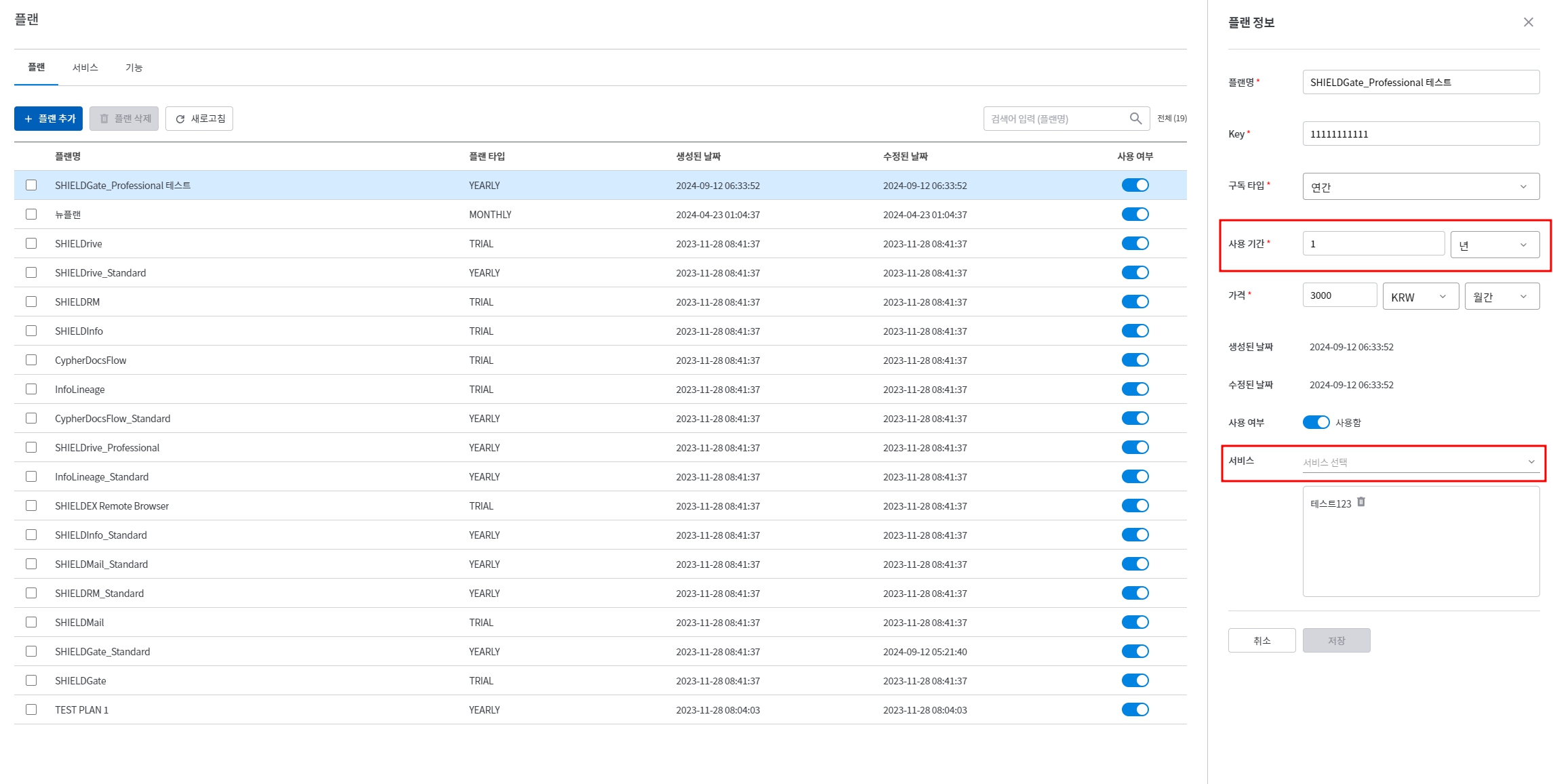
플랜Select the plan you want to change from the menu.- Change to the desired usage period and save.
- If the save button is disabled, please reselect the same service or add and then delete a different service.
Step 2: Subscription Conversion
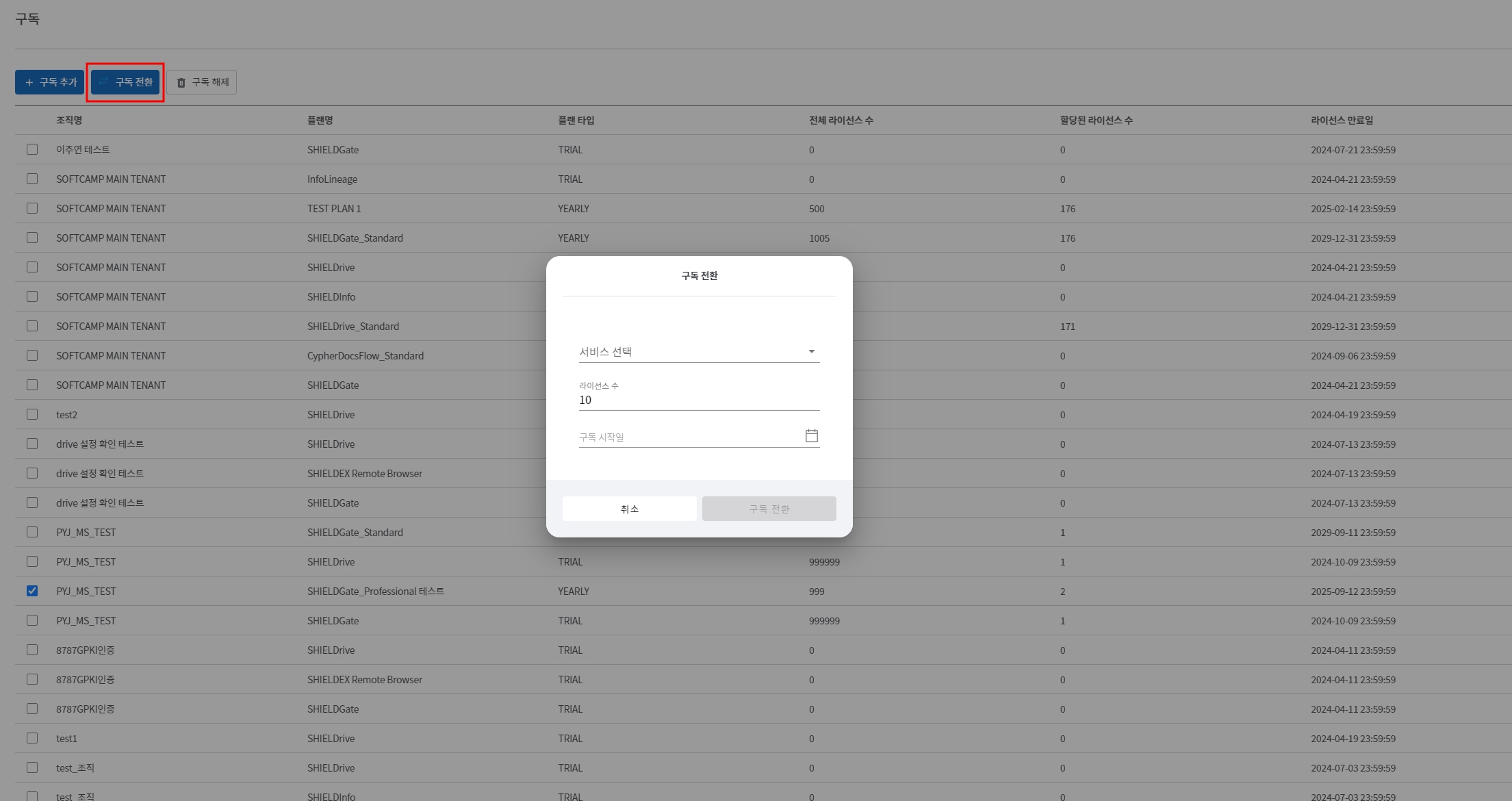
구독Select the subscription you want to change from the menu.구독 전환Click the button.- Select the modified plan. (Select the plan that was changed in step 1.)
- Enter the number of licenses. The number of licenses you entered will be added.
- Select the subscription start date. Based on the start date,Depending on the duration of the planThe expiration date is calculated automatically.
- You must select the current date or a previous date for the changes to be applied correctly.
구독 전환Click the button.- Users assigned to the existing subscription will remain the same after the transition.
구독 전환 전
- Two users are assigned.
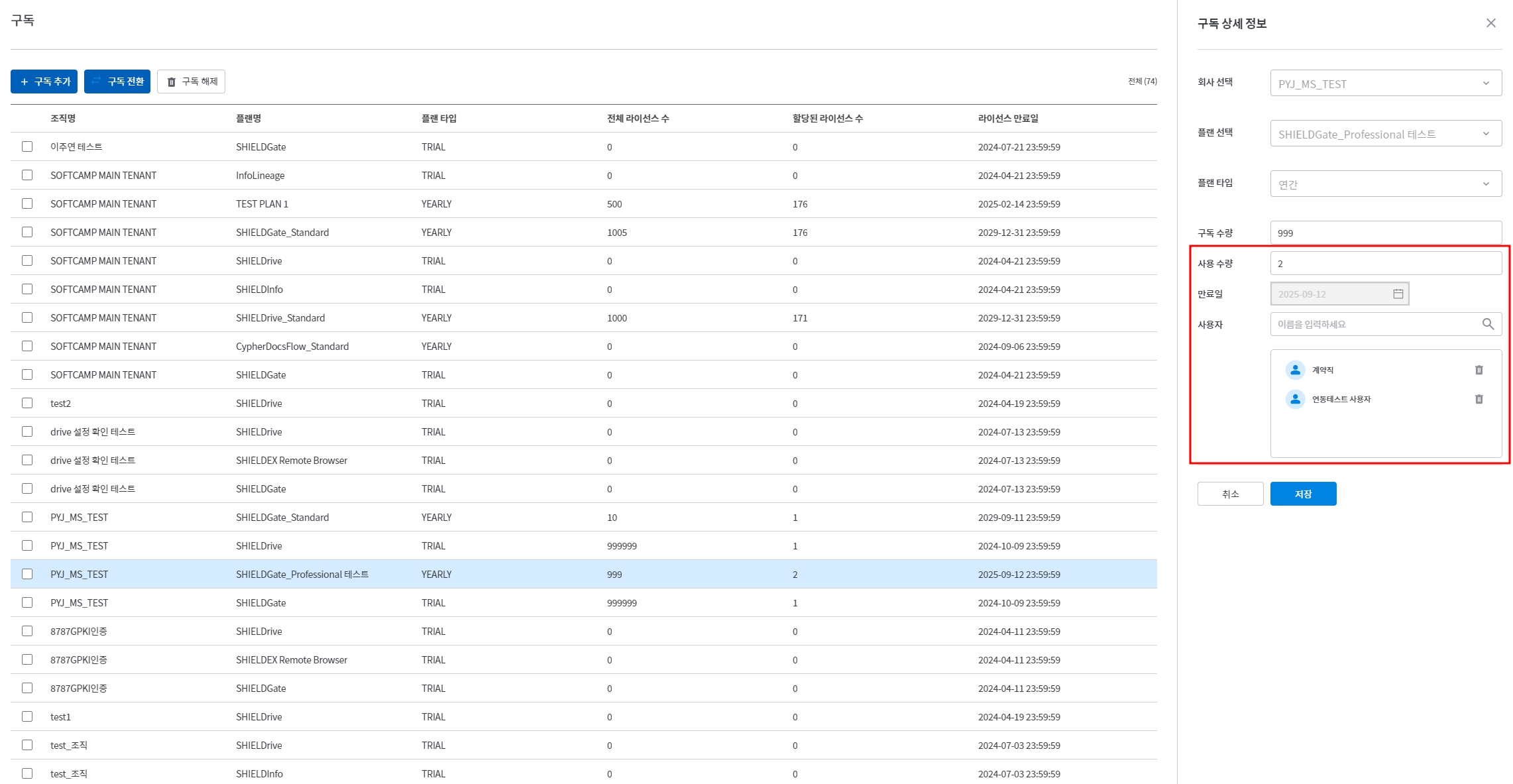
구독 전환 후
- The expiration date has been changed.
- The existing allocated users have been maintained.