2) Service Configuration Diagram
Main Flow of the SDF App Service
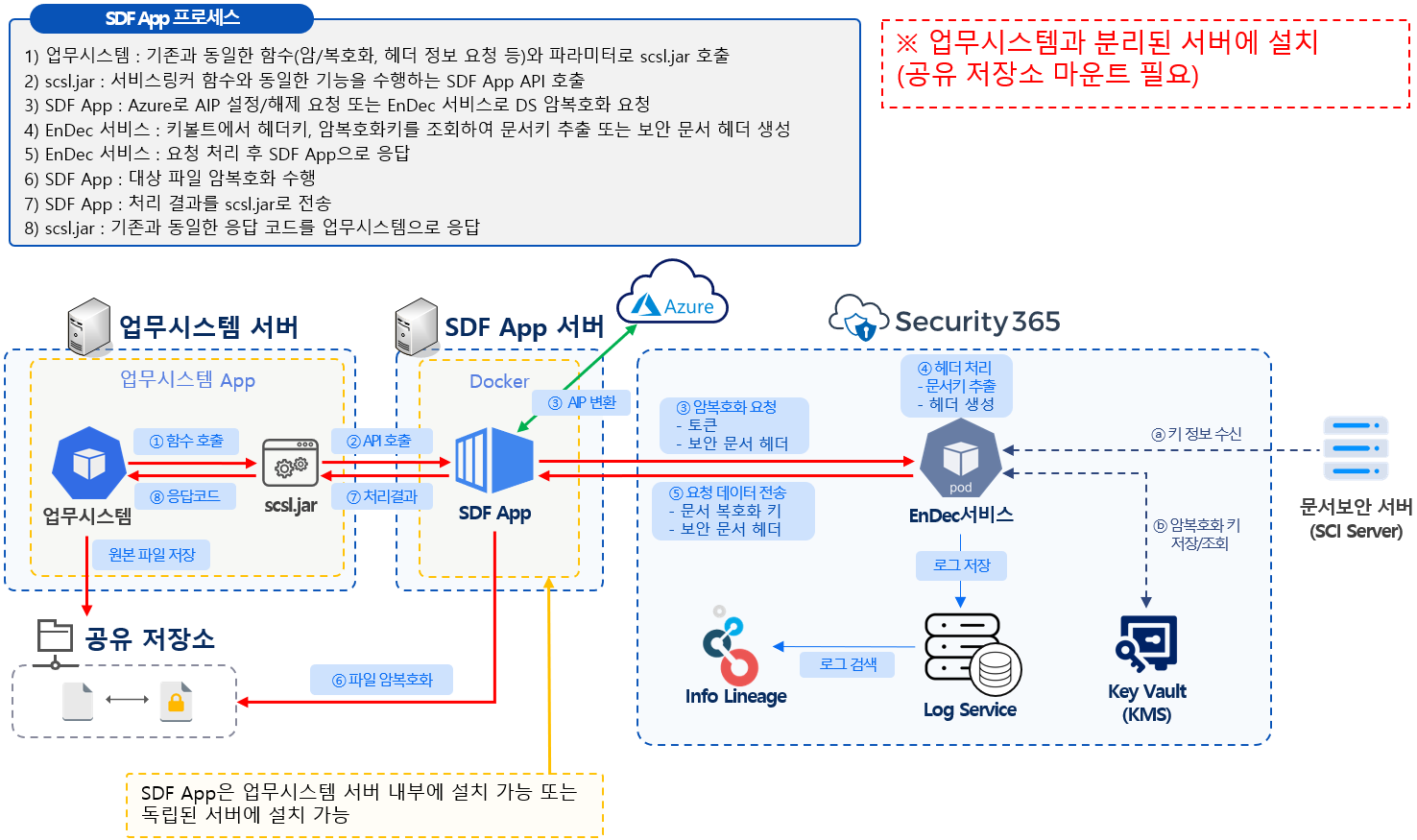
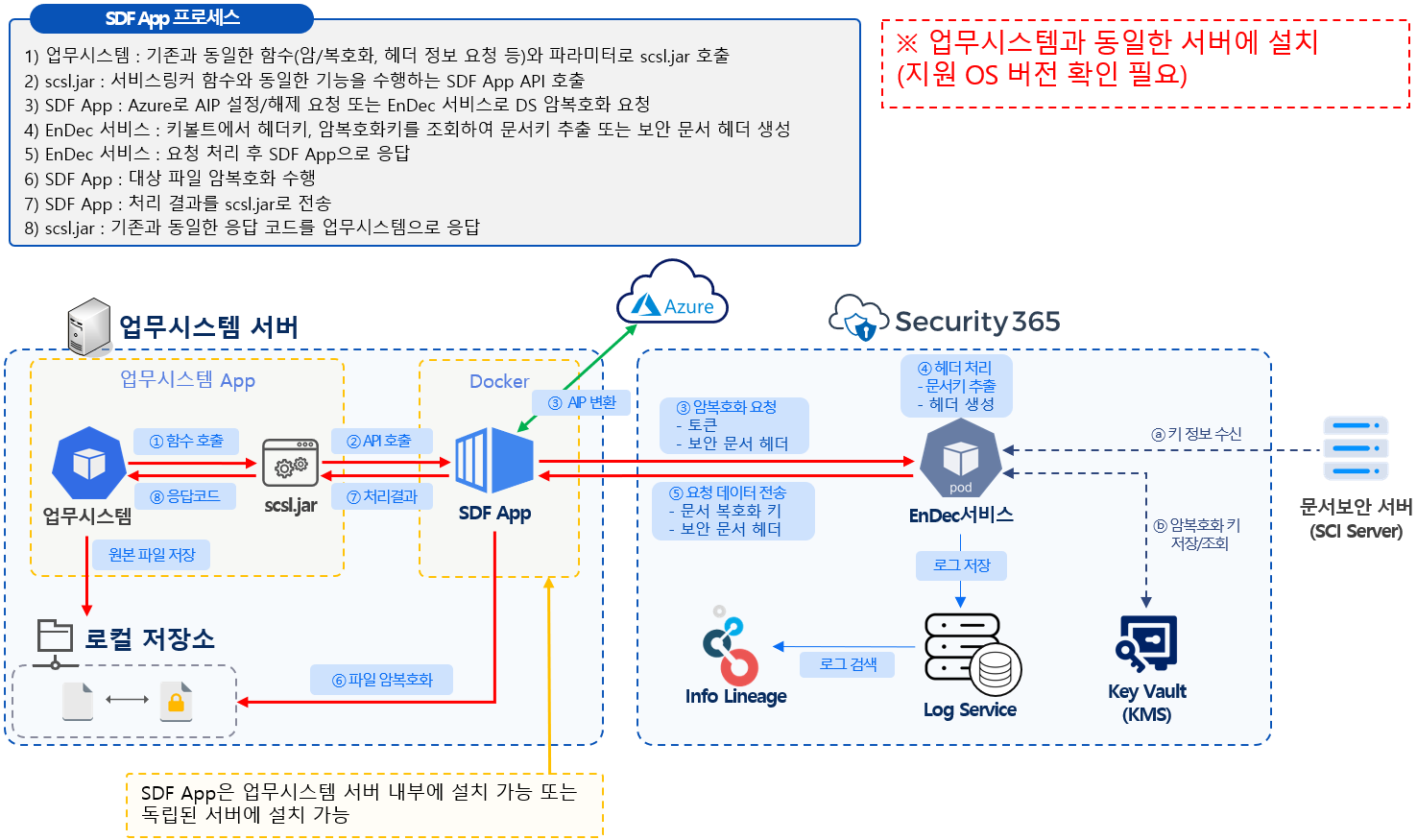
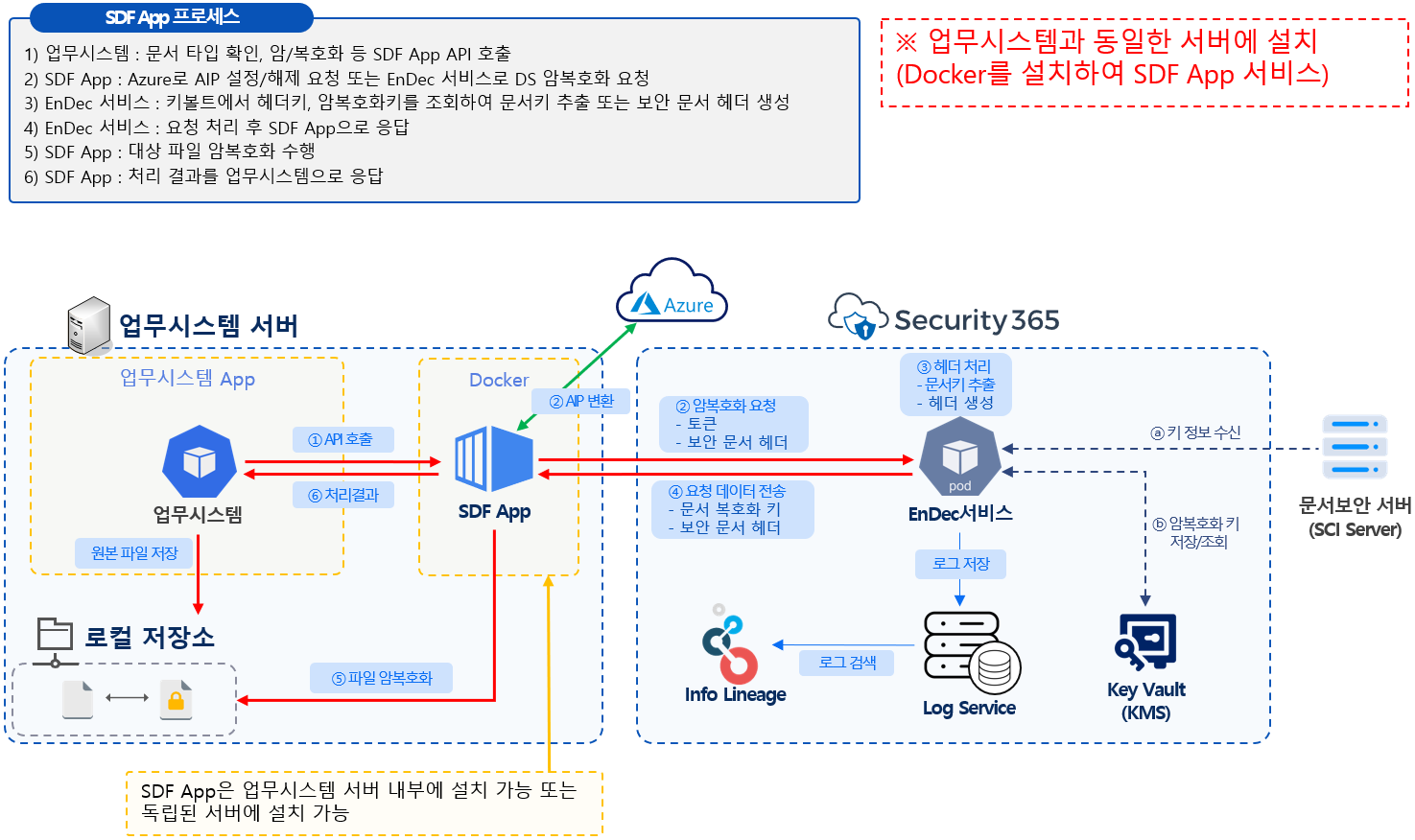
It is necessary to apply case selection considering the OS support specifications for installing the SDF App.
Case 1) Installed on a server separate from the business system
Case 2) Installed on the same server as the business system
Case 3) Install on the same server as the business system (using the API calls of the SDF App without using scsl.jar)
How to Manage SDF App Container Images
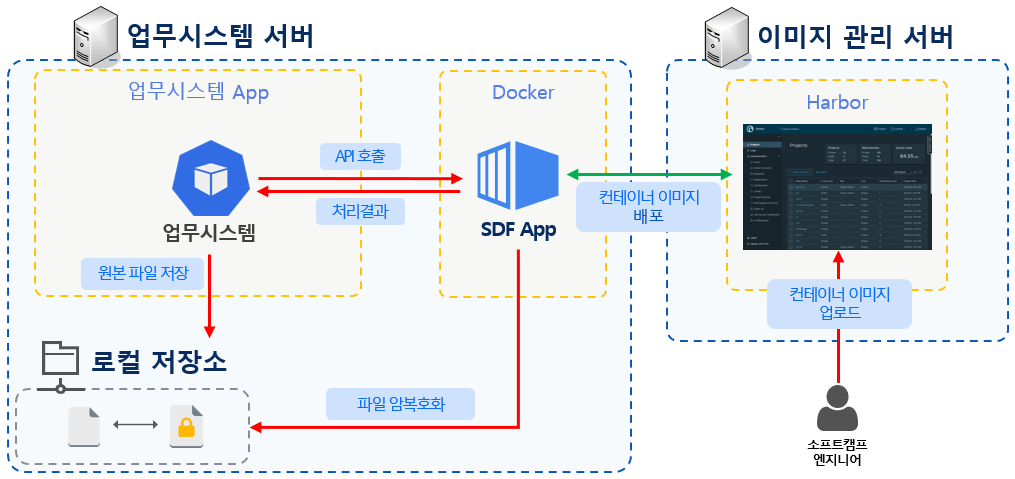
Harbor Image Management Service Configuration Diagram
1) 소프트캠프 사내에서 Security365 ACR에 업로드된 컨테이너 이미지를 tar 파일로 다운로드
2) 소프트캠프 엔지니어가 tar 파일을 고객사에 제공 및 내부로 반입
3) 별도의 Linux 서버에 설치된 Harbor에 접속하여 반입된 tar 파일을 컨테이너 이미지로 업로드
4) SDF App 배포를 위한 yaml 파일에서 Harbor에 업로드된 이미지 중 원하는 이미지 태그로 변경하여 SDF App 서비스 실행
How to create an SDF App image as a TAR file
# ACR에서 이미지를 Docker에 다운로드
docker pull security365acr.azurecr.io/shieldrm/cloud-containerlinker:20250625.1
# 태그 수정
docker tag security365acr.azurecr.io/shieldrm/cloud-containerlinker:20250625.1 cloud-containerlinker:20250625.1
# tar 파일 생성
docker save -o cloud-containerlinker_20250625.1.tar cloud-containerlinker:20250625.1