※ Last updated: 2025-05-21
Integration Management - Event Receiver Menu Guide
The event receiver menu is provided in two tabs due to the difference in event reception methods between OneDrive and SharePoint.
- **OneDrive Tab:**Detects events when files in OneDrive are added, modified, or moved.
- **SharePoint Tab:**Receive events (file creation, modification, etc.) occurring in each document library of SharePoint individually.
Each platform has a different event structure, so SHIELD DRM provides an independent event receiver integration method suitable for this. As a result, the tabs are separated and organized on the admin page.
OneDrive Event Receiver
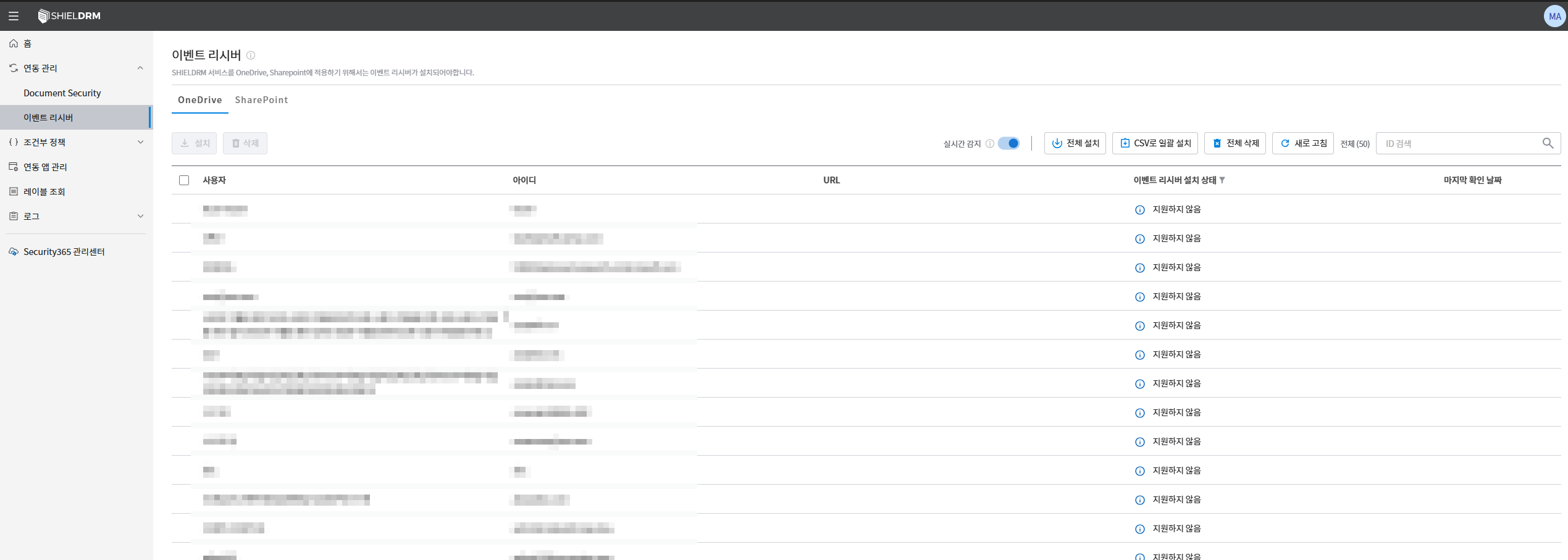
- Check User List
- User account and the email and URL of that account will be displayed.
이벤트 리시버 설치 상태You can check the installation status in the column.마지막 확인 날짜You can check the date when the event receiver status was last checked in the column.
- Real-time Detection Settings
실시간 감지When the toggle is enabled, an event receiver will automatically run when new files are created or moved within OneDrive.
- Complete Installation/Uninstallation
전체 설치You can install the event receiver for all users listed by clicking the button.전체 삭제You can remove the event receiver from all users through the button.
- CSV Bulk Installation
CSV 일괄 설치You can upload a user list as a CSV file through the button to install event receivers in bulk.CSV로 내보내기You can download the data of the current list as a CSV file through the button.
SharePoint Event Receiver
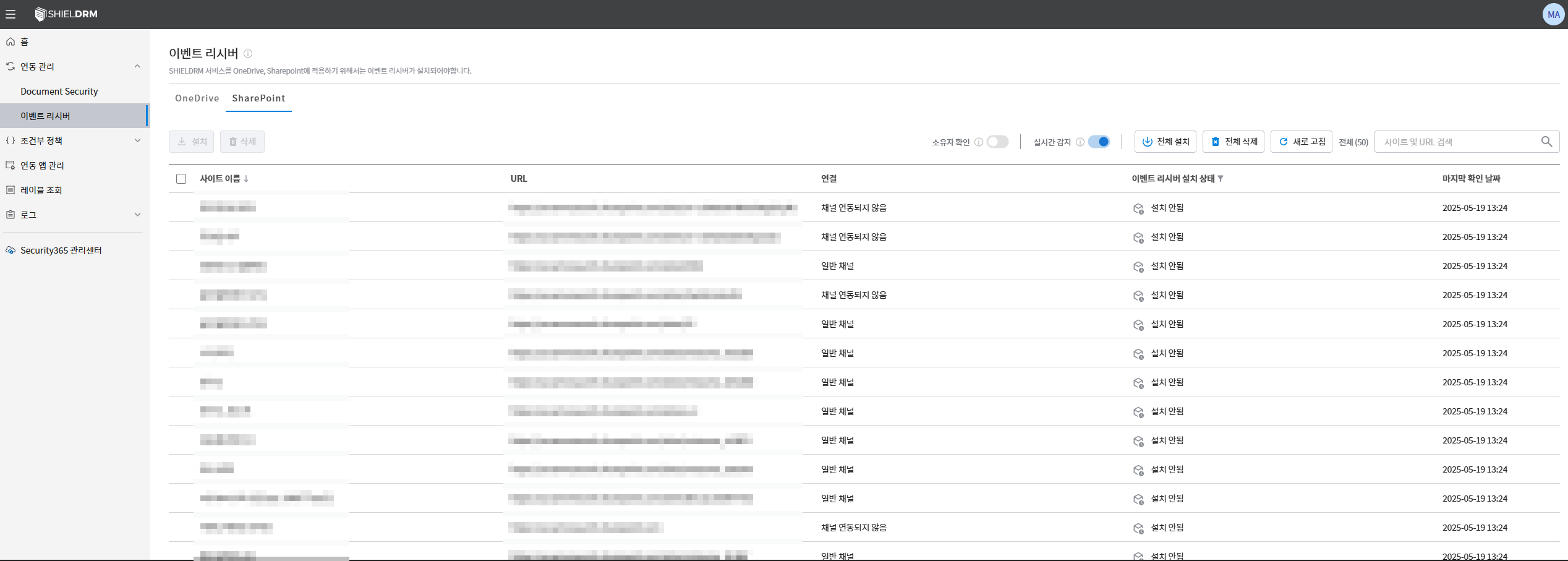
- Check Site List
- The name and URL of the SharePoint site are displayed.
연결You can check the connection status of each site in the column (normal channel, channel not linked, etc.).이벤트 리시버 설치 상태You can check the installation status in the column.마지막 확인 날짜You can check the date when the event receiver status was last checked in the column.
- Owner Verification Feature
소유자 확인When the toggle is enabled, only the owner of the current SharePoint site can install the event receiver.- This can prevent the installation of event receivers by unauthorized users.
- Classification of Sites by Region
- (If Multi GEO is set up in Sharepoint) This feature allows you to manage sites registered in each region separately.
- You can select each region (Korea, USA, Japan, etc.) to check the installation status of the event receiver for the sites belonging to that region.
- Real-time Detection Settings
실시간 감지When the toggle is activated, an event receiver will automatically run when a new site is created or files are moved within SharePoint.
- Complete Installation/Uninstallation
전체 설치You can install event receivers on all sites listed by clicking the button.전체 삭제You can remove the event receivers from all sites through the button.
Caution
CSV 내보내기You can periodically check and back up the event receiver status through the function. (To be developed)- With the SharePoint Multi-GEO feature, global organizations can easily manage sites.