Release
note
Release the MIP document.
1. Overview
- Users can release Mip documents into regular documents through the right-click menu.
- In previous versions of the related module, AIP release was possible regardless of the ztcap policy; however, the AIP release function has been changed to be a standard feature that is released according to the ztcap policy.
2. Related Modules
| File Name | path | version | Description |
|---|---|---|---|
| SCPD_DS365.dll | C:\Windows\Softcamp\sdk\scsa | 6.1.0.12 | |
| SCPD_DS36564.dll | C:\Windows\Softcamp\sdk\scsa | 6.1.0.12 |
3. Related Ztcap Policies
danger
- You need to add an explanation about the ztcap policy settings below.
- The explanation of the basic ztcap policy is omitted.
- If there is no policy, the Aip document release will fail.
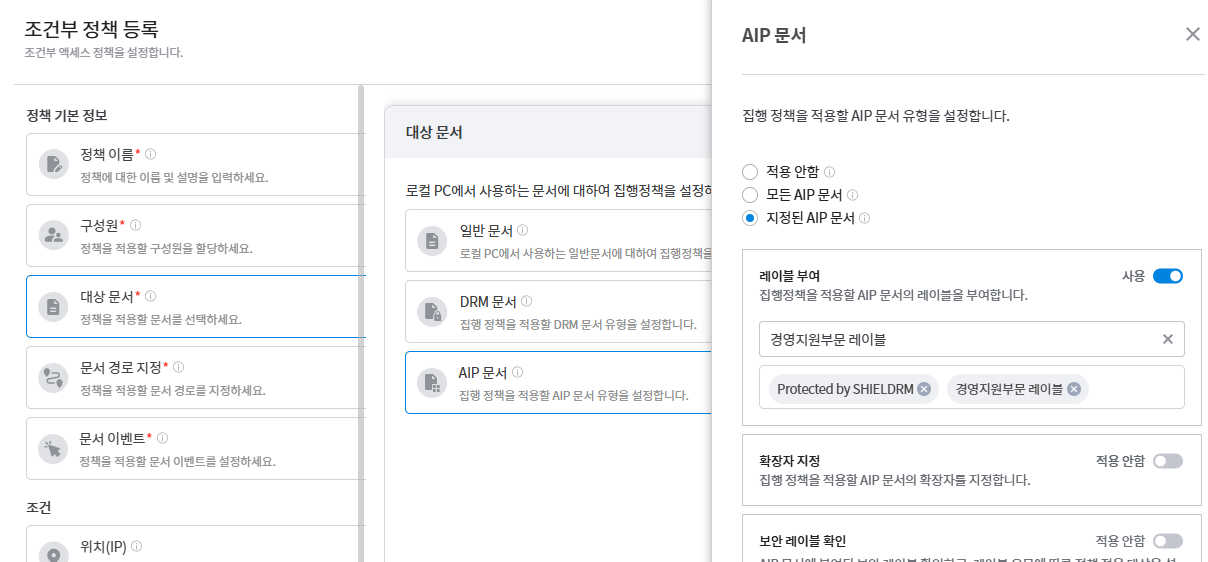
- Select Aip document from the target document.
- All Aip Document Release Policy - Select All Aip Documents
- When releasing a specific AIP document - After selecting the designated AIP document -> Assign label -> Select specific AIP label (multiple selections possible)
- Document Events
- Right-click the mouse and click the [Release Aip Document] menu.
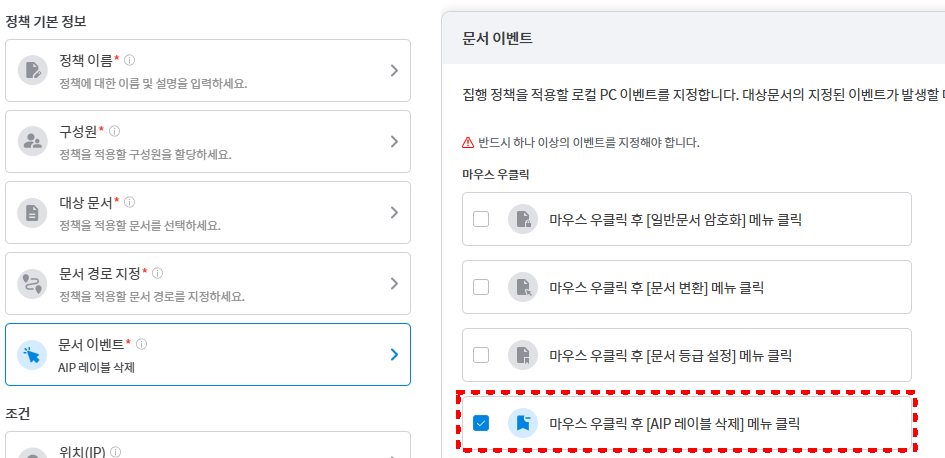
- Right-click the mouse and click the [Release Aip Document] menu.
- Execution Policy
- Aip Document Release Selection
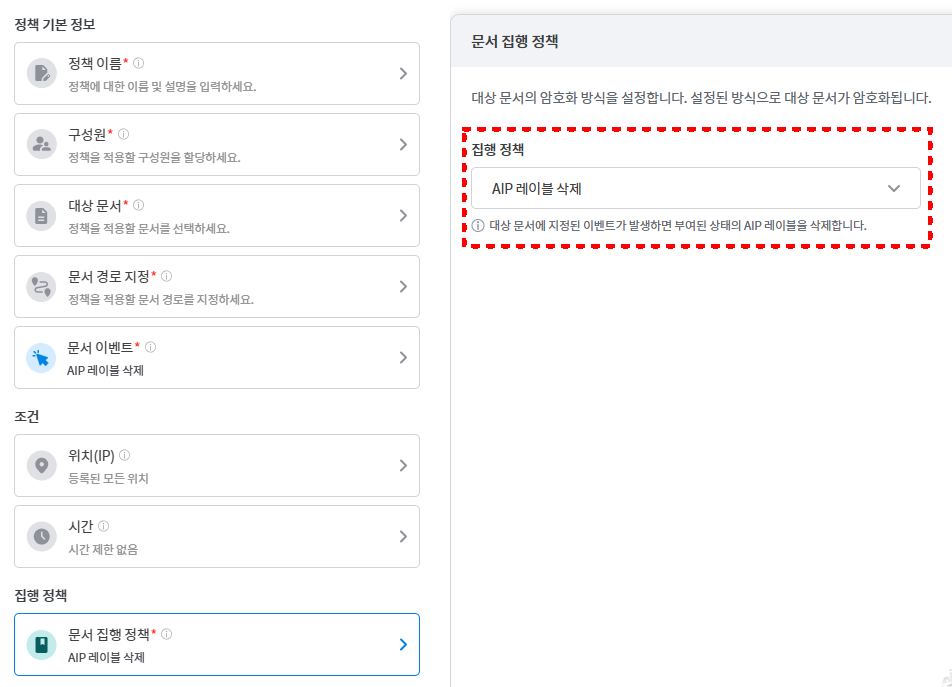
- Aip Document Release Selection
[Ztcap 콘솔에서 Json Edit 메뉴] 
{
  "name": "[개발]Mip해제정책",
  "description": "모든 Mip문서 해제하는 정책",
  ....
  "enforcementAttributes": [
    {
      "order": 0,
     "category": "MIPRemove"   // category에 MIPRemove로 추가
    }
  ],
  "decisionFactors": [
    {
      "category": "document",
      "targets": [
        {
          "type": "mip",
          "use": true,
          "operation": "AND"
        }
      ]
    },
    {
      "category": "storage",
      "targets": [
        {
          "type": "local",
          "use": true,
          "operation": "OR",
          "info": {
            "folder": [
              "*"
            ]
          }
        }
      ]
    },
    {
      "category": "fileEvent",
      "targets": [
        {
          "type": "local",
          "use": true,
          "operation": "OR",
          "info": {
            "event": [
-              "RButtonClickLabelRemove"             // event를 RButtonClickLabelRemove로 지정
            ]
          }
        }
      ]
    }
  ]
}