1) Registering Custom Header Key Policy
Guide to Registering Custom Policies in the SCI Server CS Console
- This applies to client companies that were using the SCI server in response to vulnerabilities related to security document header keys.
- Customers for whom a new SCI server is being established are not subject to this.
SCI Server CS Console
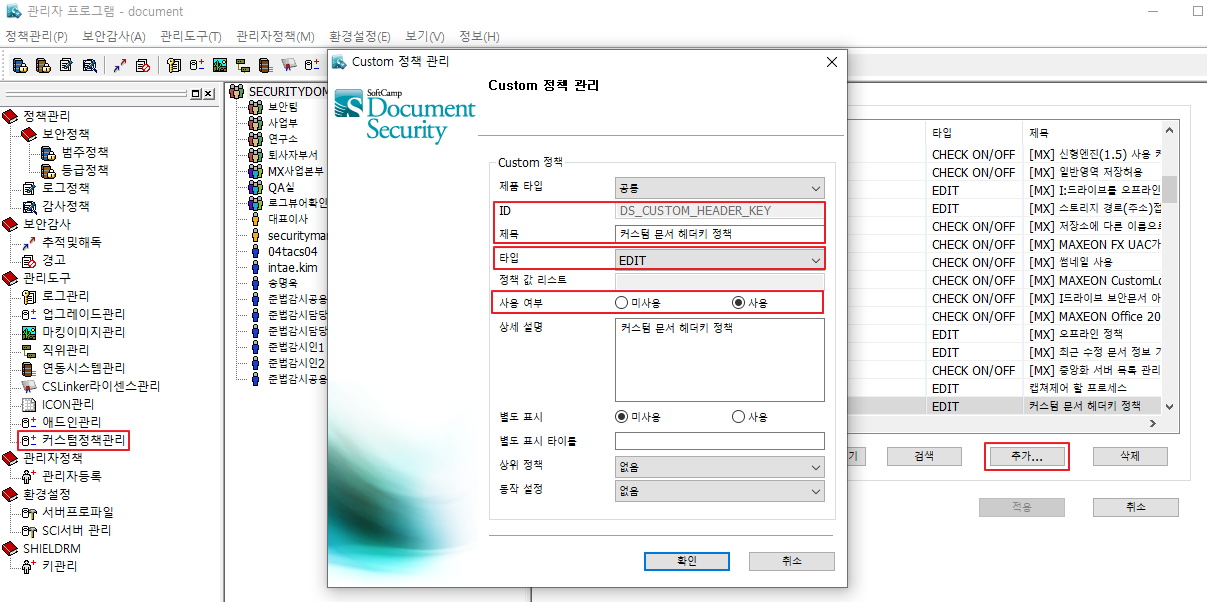
Custom Policy Management
- After clicking the add button in the custom policy management menu, enter each item.
- ID : DS_CUSTOM_HEADER_KEY
- Title: Custom Document Header Key Policy
- Type: EDIT
- Usage: In use
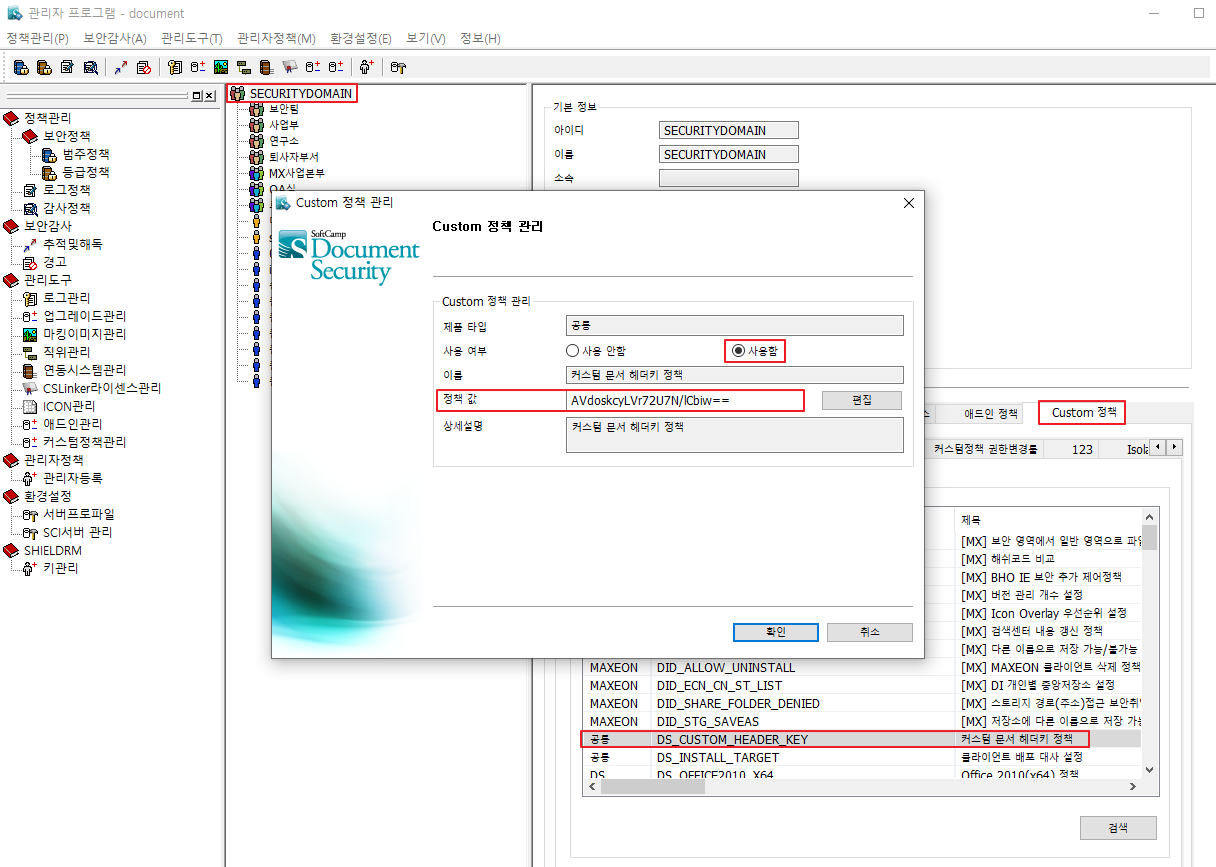
Top-level Department Custom Policy
- Select Top-Level Department (SECURITYDOMAIN)
- Search for the added ID in the Custom policy tab and enter each item.
- Usage: In use
- Policy value (watch for typos): AVdoskcyLVr72U7N/lCbiw==
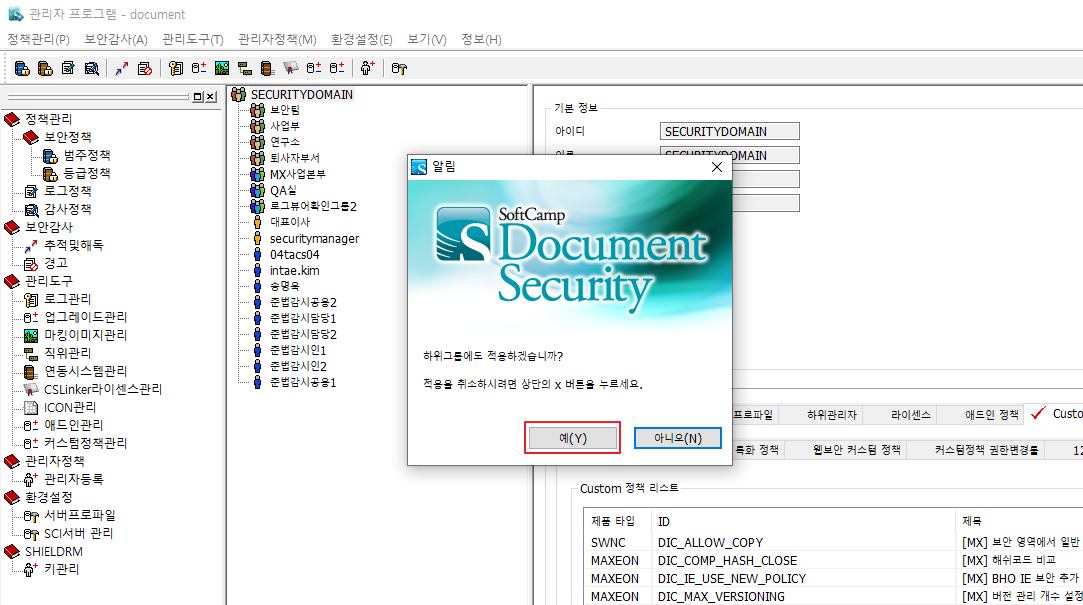
- Apply to subgroups after clicking the apply button