8) Azure App Registration Guide
SDF App Registration
1. Overview
For companies that do not use the Security365 common app, register a separate Azure app for use with the SDF service.
2. App Registration
2.1 Azure Portal Login
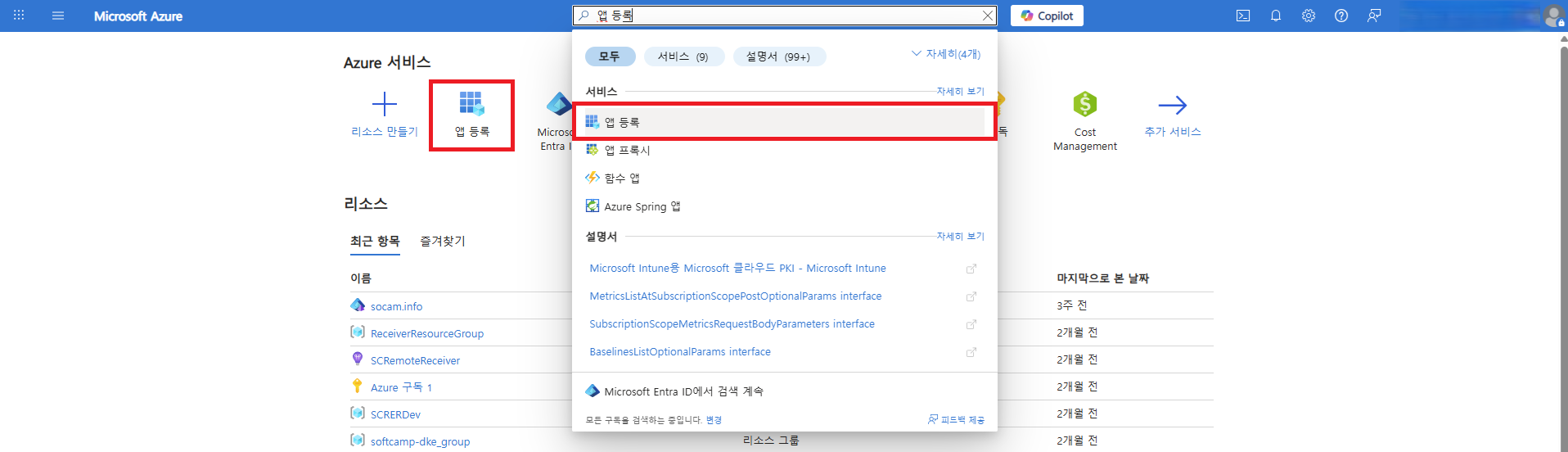
- Azure PortalatAdministrator Accountlogs in with.
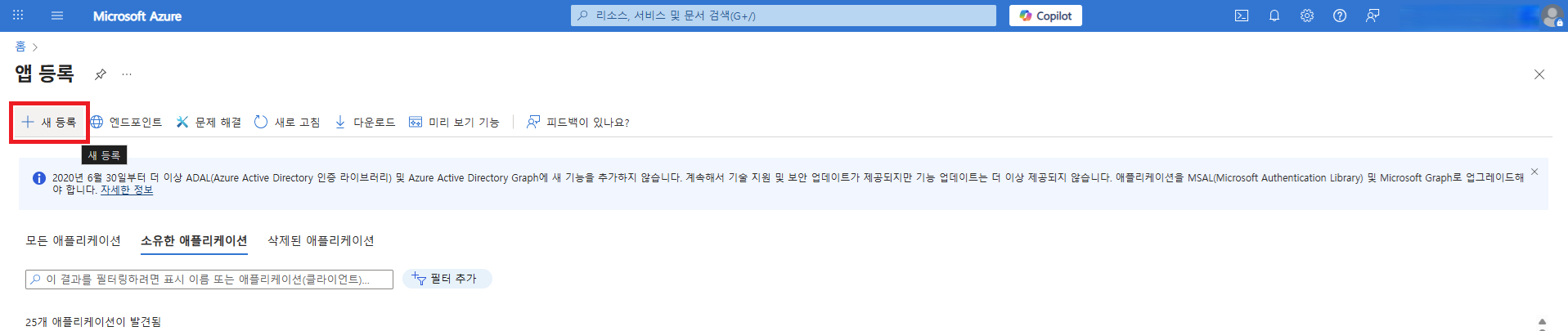
- App RegistrationSelect a menu,New RegistrationYou can navigate to the application registration page through the button.
2.2 App Registration Information
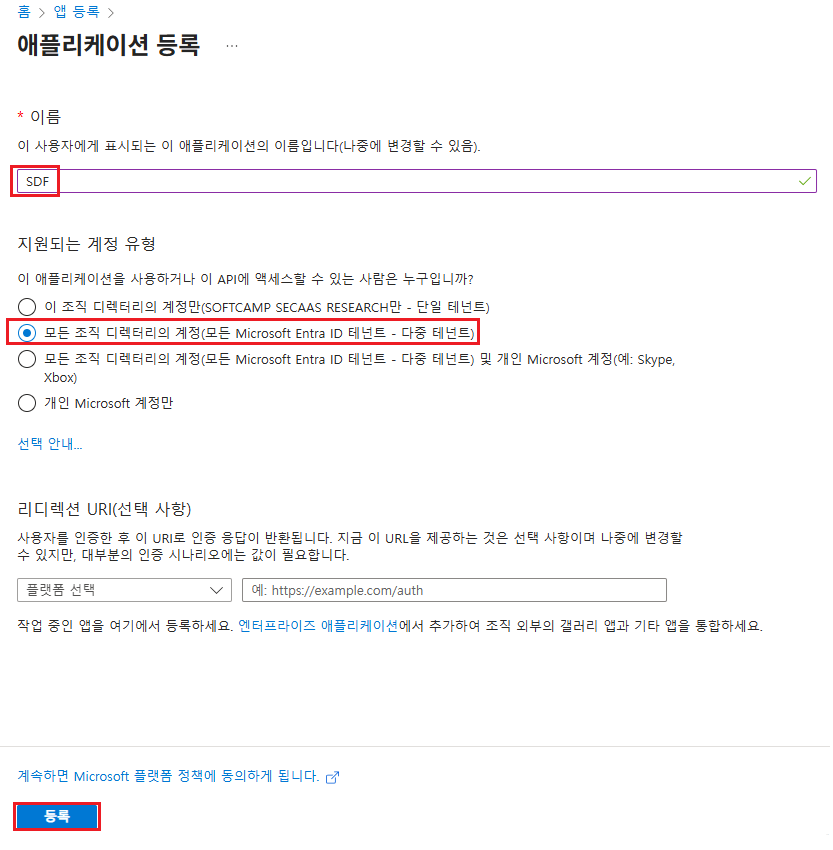
- Name:SDF
- Account Type:Multi-Tenant
- RegistrationClick the button to register the application.
2.3 Check App ID Information
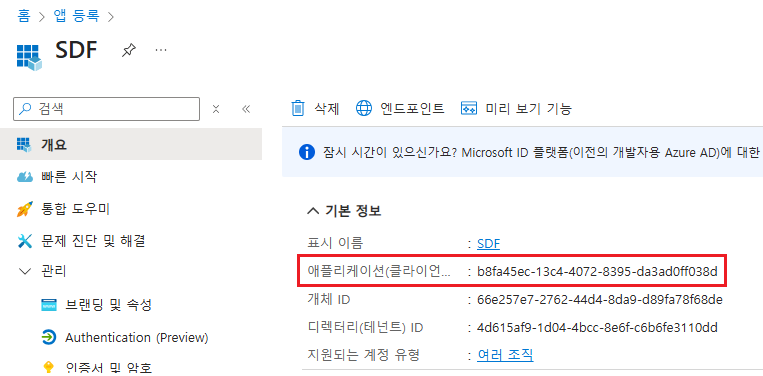
3. Client Password Configuration
3.1 Installing Azure CLI
- Install Azure CLI to set the password used for service authentication.
- Installing Azure CLI on Windows
3.2 Azure CLI Login (Powershell)
- Powershell toAdministrator Privilegesafter executing withAzure Administrator Accountlogs in with.
- If there are multiple subscriptions for the tenant, select the appropriate subscription.
az login
3.3 Create New Client Secret
- Set a new client password with an expiration period.
- If the expiration period is not set, it will be set to 1 year based on the creation time.
az ad app credential reset --id {appId} --append --end-date {end-date}- Parameter
appId: App IDappend: Generates a new password while retaining the existing password. Removing this parameter will delete the existing password.end-date: Password Expiration Time(format: 'YYYY-MM-DD')- '2126-01-22'
3.4 Storing Password Values
- Check the password value output after generating the client key and save it separately.
{
  "appId": "b8fa45ec-13c4-4072-8395-da3ad0ff038d",
  "password": "moh8Q~yeUQVK.aptj-sbjwFup9jS.v81_D-CwaQ-",  //appSecret
  "tenant": "4d615af9-1d04-4bcc-8e6f-c6b6fe3110dd"
}
3.5 Password Generation Verification
- Check if the password has been generated successfully.
az ad app credential list --id {appId}
PS C:\Users\Security365> az ad app credential list --id b8fa45ec-13c4-4072-8395-da3ad0ff038d
[
  {
    "customKeyIdentifier": null,
    "displayName": null,
    "endDateTime": "2126-01-22T00:00:00Z",
    "hint": "moh",
    "keyId": "3b27e547-a7fe-4ad3-800f-2167c162b13d",
    "secretText": null,
    "startDateTime": "2026-01-22T05:52:37Z"
  }
]
3.6 Example of the Complete Execution Process for Client Key Generation
PS C:\Users\Security365> az login
Select the account you want to log in with. For more information on login with Azure CLI, see https://go.microsoft.com/fwlink/?linkid=2271136

Retrieving tenants and subscriptions for the selection...

[Tenant and subscription selection]

No     Subscription name    Subscription ID                       Tenant
-----  -------------------  ------------------------------------  ------------------------
[1] *  Azure 구독 1         581f6af6-8dc0-4ec4-b42c-fe3b732fdd8e  SOFTCAMP SECAAS RESEARCH
[2]    종량제               763f6b12-8cd0-4592-9751-93ddb39fb970  SOFTCAMP SECAAS RESEARCH

The default is marked with an *; the default tenant is 'SOFTCAMP SECAAS RESEARCH' and subscription is 'Azure 구독 1' (581f6af6-8dc0-4ec4-b42c-fe3b732fdd8e).

Select a subscription and tenant (Type a number or Enter for no changes): 1

PS C:\Users\Security365> az ad app credential reset --id b8fa45ec-13c4-4072-8395-da3ad0ff038d --append --end-date '2126-01-22'
The output includes credentials that you must protect. Be sure that you do not include these credentials in your code or check the credentials into your source control. For more information, see https://aka.ms/azadsp-cli
{
  "appId": "b8fa45ec-13c4-4072-8395-da3ad0ff038d",
  "password": "moh8Q~yeUQVK.aptj-sbjwFup9jS.v81_D-CwaQ-",
  "tenant": "4d615af9-1d04-4bcc-8e6f-c6b6fe3110dd"
}

PS C:\Users\Security365> az ad app credential list --id b8fa45ec-13c4-4072-8395-da3ad0ff038d
[
  {
    "customKeyIdentifier": null,
    "displayName": null,
    "endDateTime": "2126-01-22T00:00:00Z",
    "hint": "moh",
    "keyId": "3b27e547-a7fe-4ad3-800f-2167c162b13d",
    "secretText": null,
    "startDateTime": "2026-01-22T05:52:37Z"
  }
]
3.7 Client Password Generation Verification
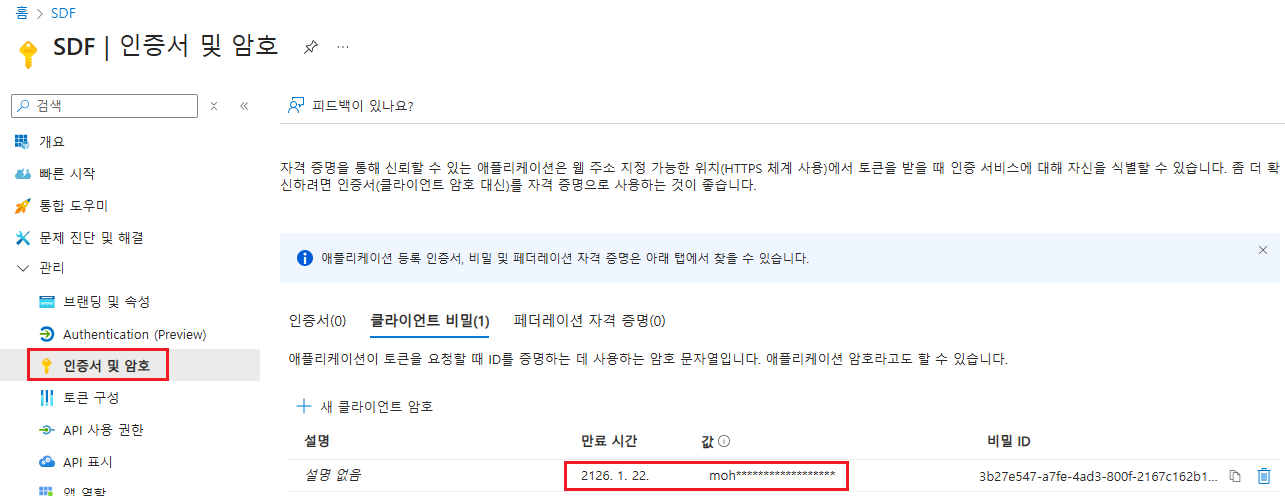
4. Adding API Permissions
4.1 List of Permissions to be Added
Microsoft Graph
| API/Permission Name | Type | Administrator approval is required. | Permission Description |
|---|---|---|---|
| InformationProtectionPolicy.Read.All | Application | Yes | Obtaining the protection template ID of the AIP label |
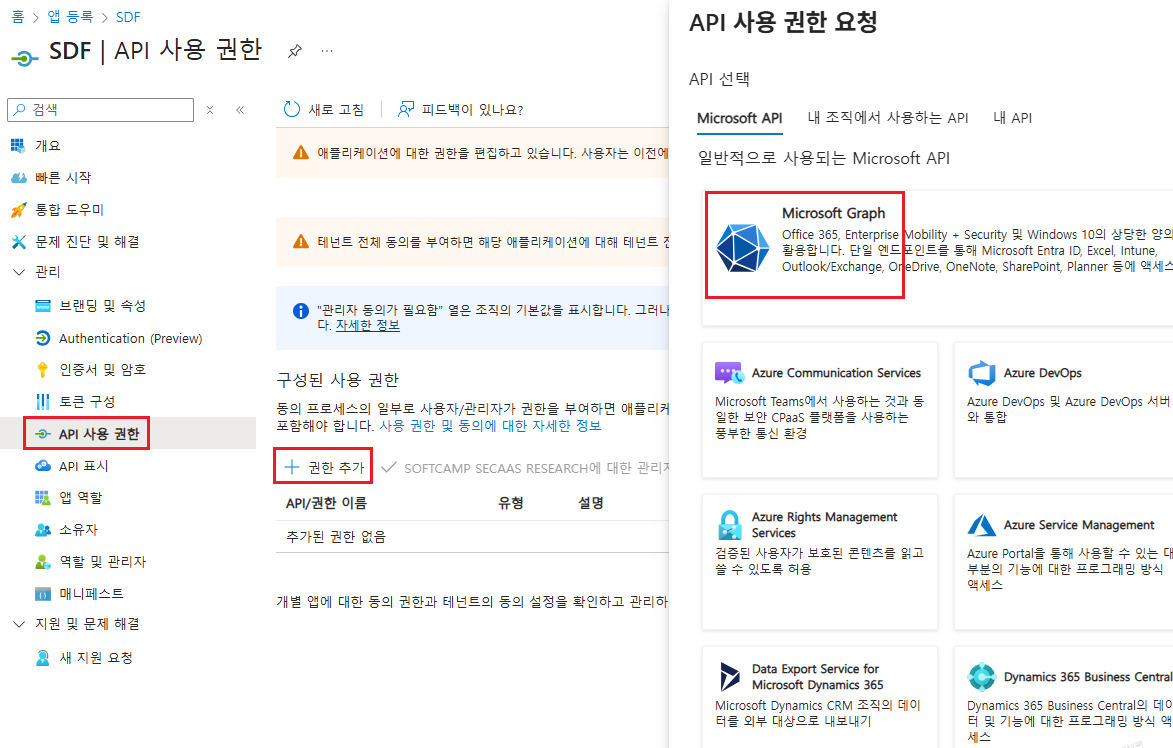
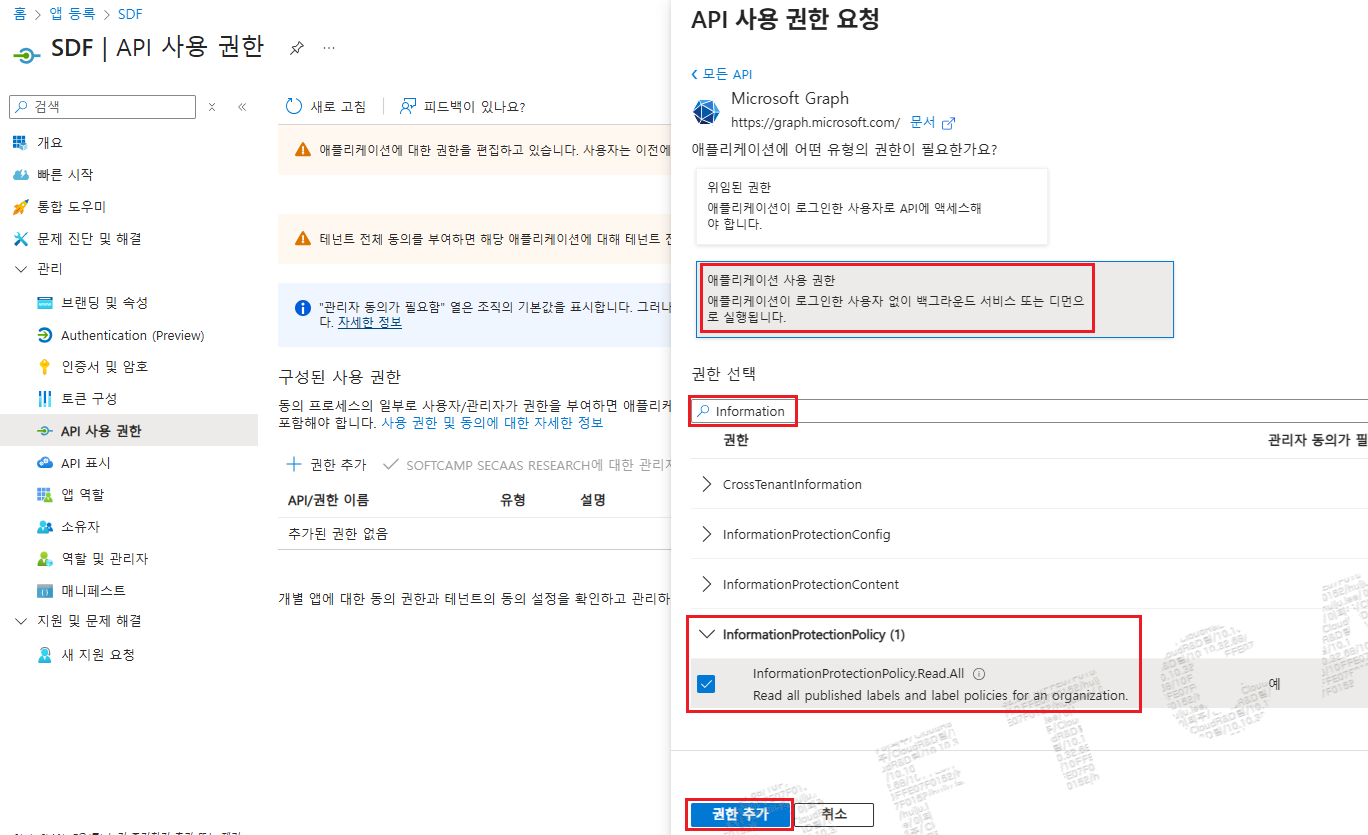
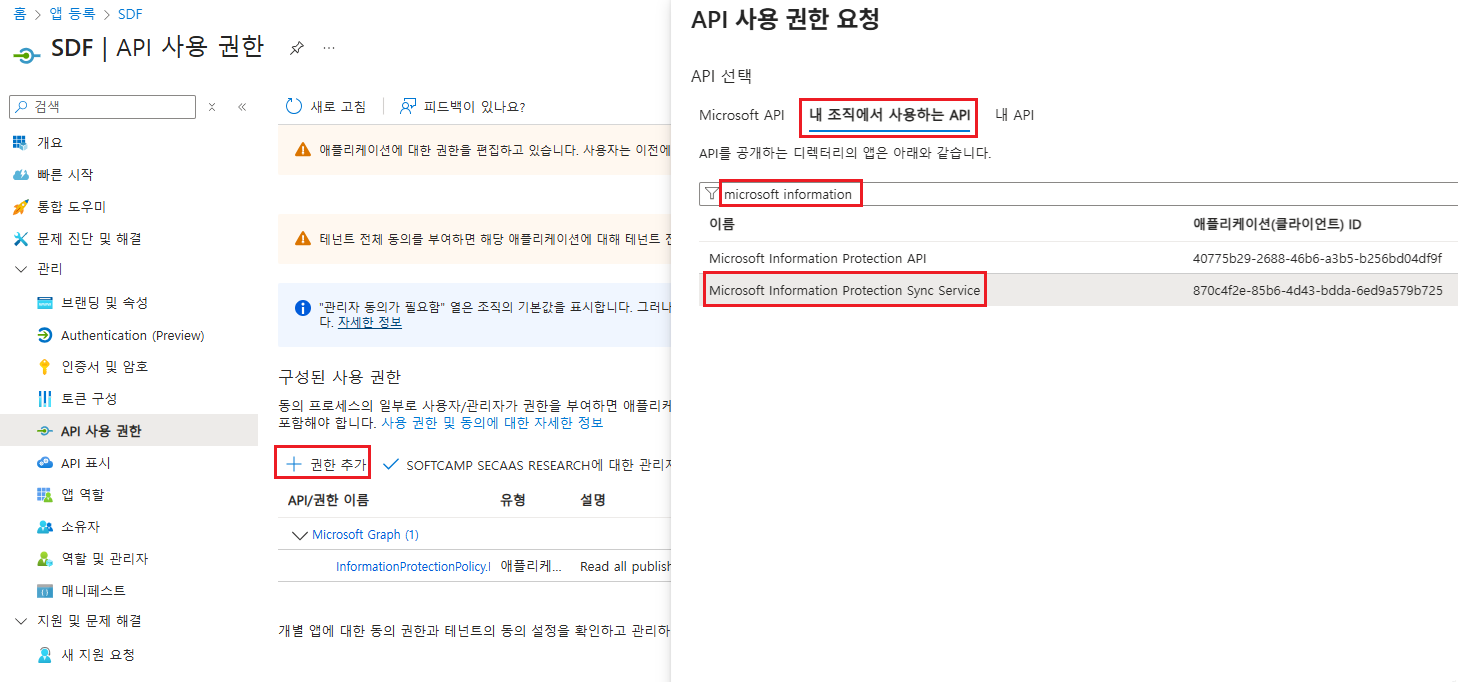
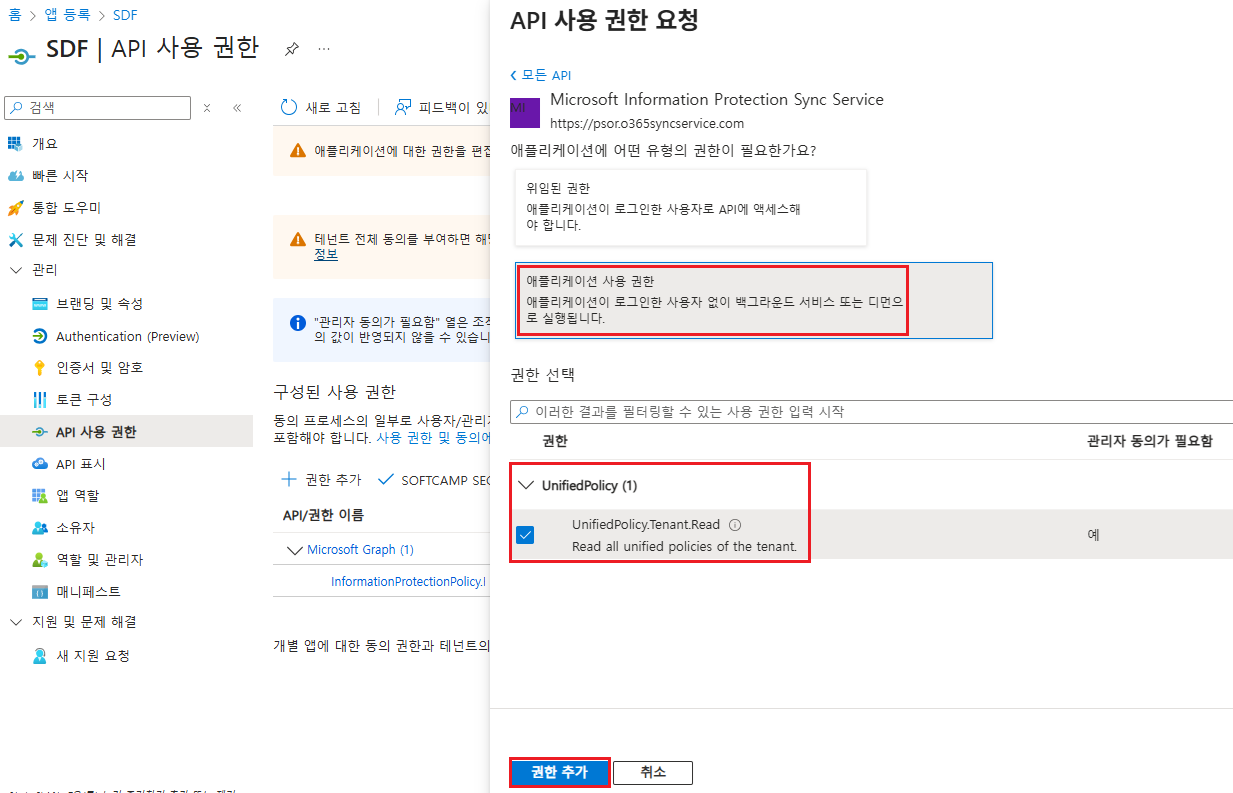
Microsoft Information Protection Sync Service
| API/Permission Name | Type | Administrator approval is required. | Permission Description |
|---|---|---|---|
| UnifiedPolicy.Tenant.Read | Application | Yes | Read all integration policies that the user has access to. |
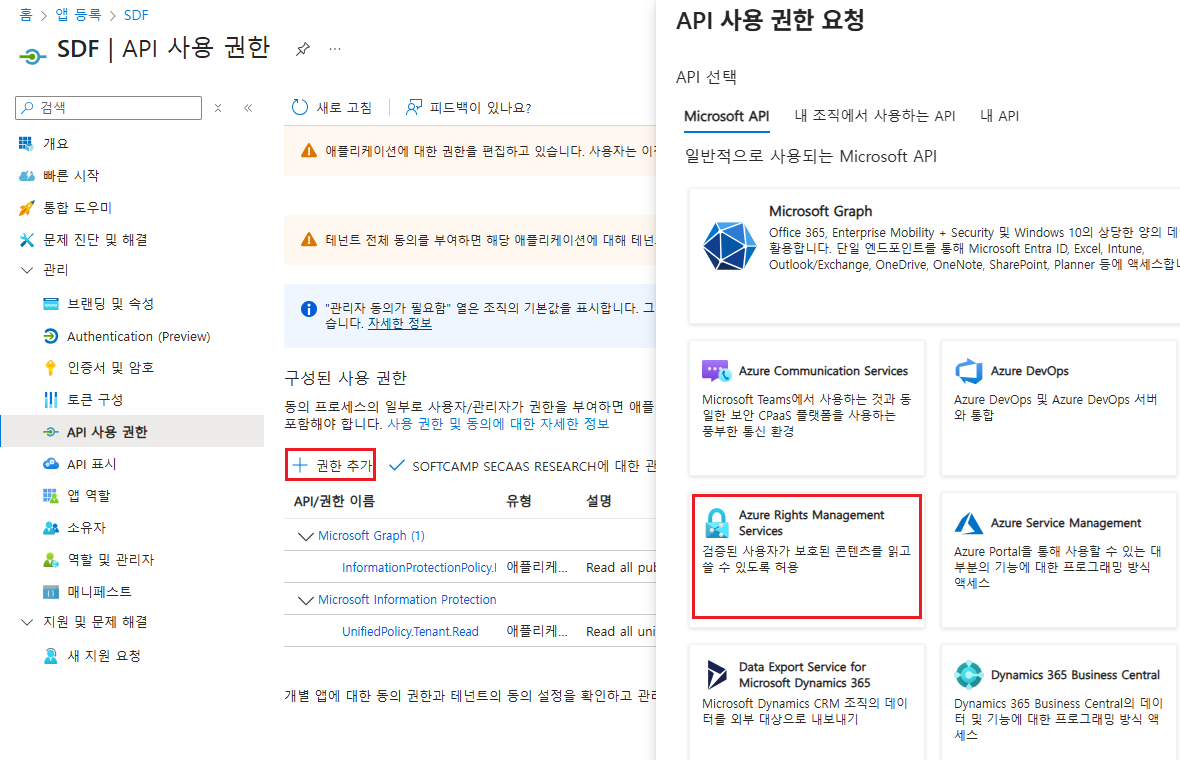
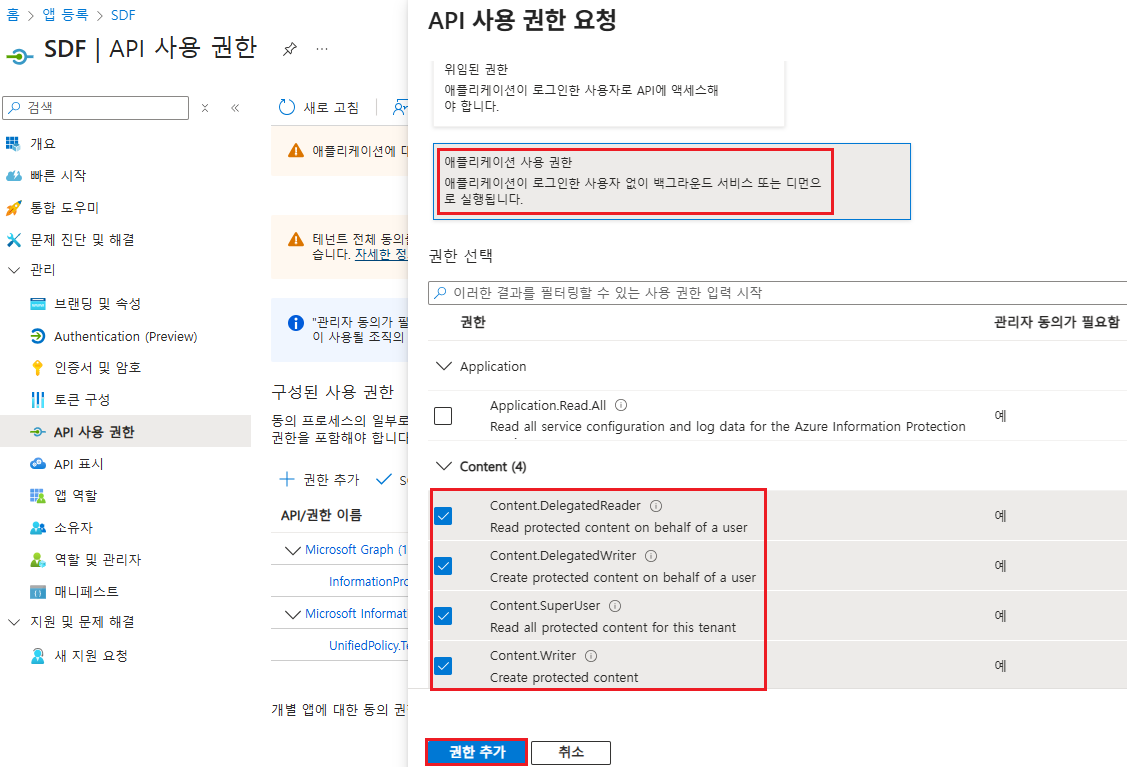
Azure Rights Management Services
| API/Permission Name | Type | Administrator approval is required. | Permission Description |
|---|---|---|---|
| Content.DelegatedReader | Application | Yes | Reading protected content on behalf of the user |
| Content.DelegatedWriter | Application | Yes | Generating protected content on behalf of the user |
| Content.SuperUser | Application | Yes | Read all protected content of the tenant |
| Content.Writer | Application | Yes | Creating Protected Content |
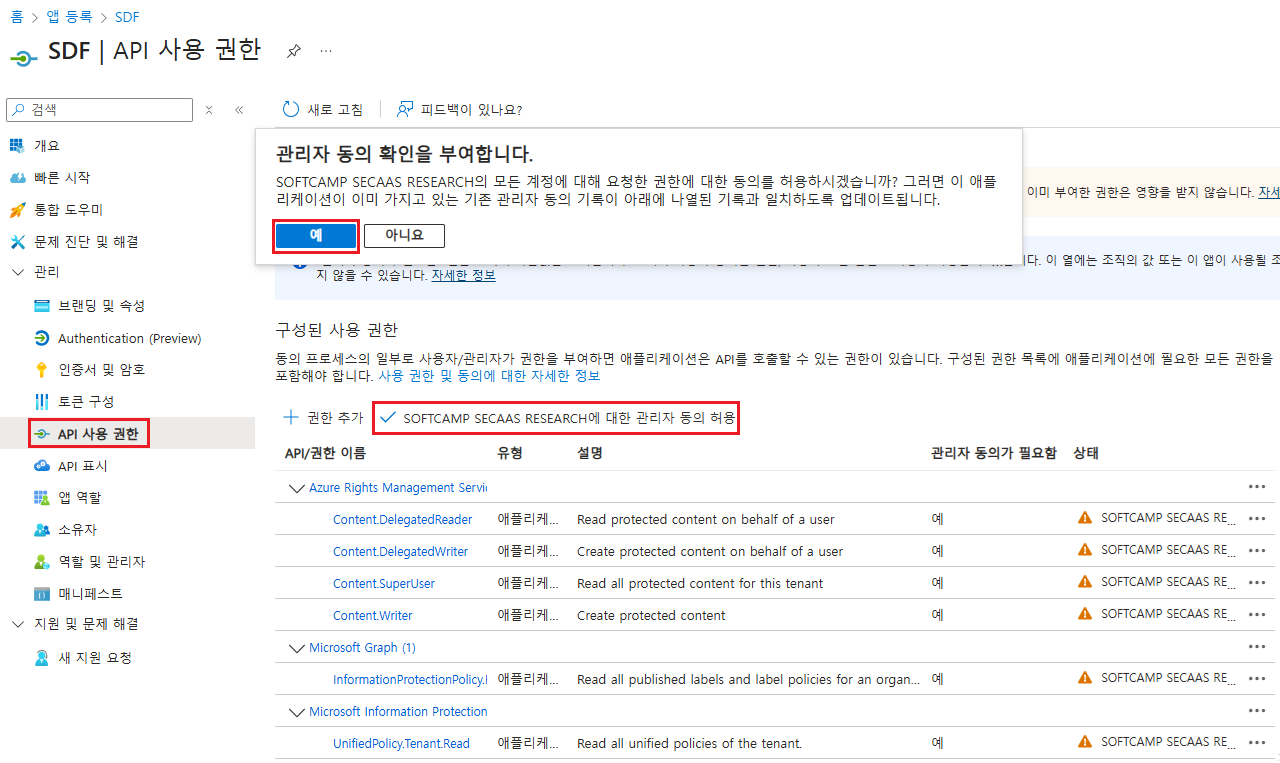
4.2 Allowing Administrator Consent
- You need to add API permissions and allow "Admin consent".